Version 9.0.0 to 9.0.2
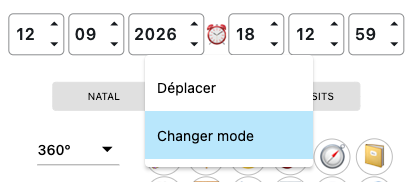
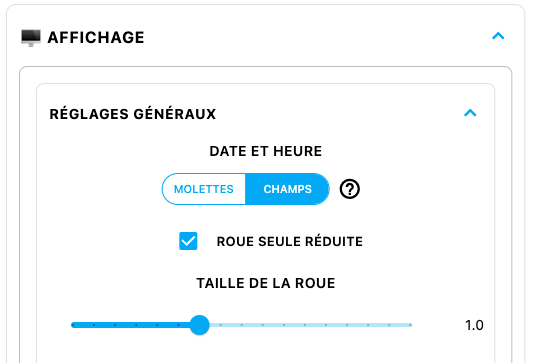
EDIT: versions 9.0.1 and then 9.0.2 were released in quick succession to fix an issue affecting some Windows computers, on which the date wheels could cause drastic slowdowns. The solution was therefore to offer text fields as a replacement for the wheels. Normally, on Windows, these appear by default. However, you can still change them either by right-clicking on the field block and choosing the “Change mode” option, or by going to the Control Panel and changing the slider under DATE AND TIME in DISPLAY > GENERAL SETTINGS.
I would obviously have liked to do better for Windows and have everything properly optimized for every computer, but the Windows system — let’s be honest! — is an absolute nightmare to optimize. Nothing works on it the way it does on any other system; everything is unique, with exceptions, requirements, and restrictions that make the whole thing incredibly tedious when you’re trying to code with complete creative freedom. Meanwhile, Mac and Android happily let me get on with my work. I will therefore always do my best to make sure Windows users have a version that looks good, but I remain subject to what is, to say the least, a rather restrictive system. Which makes me understand why the majority of Windows software is aesthetically rather ugly… Anyway. One small recommendation as well: Odysseus® is now a very comprehensive piece of software, and therefore a very demanding one, performing thousands of calculations every second. So obviously, if your computer is an older, somewhat outdated machine, it may struggle more than others. Give it a helping hand! Don’t keep a thousand programs open at the same time. Close any windows you don’t need, restart your computer from time to time to clear the memory, or even give your computer a fresh reset so it can start again on a clean foundation. Every piece of software you use will thank you for it…
Hello, fellow astrologers.
Today, a new update — and not a minor one. Since the day Odysseus® was created, this is its biggest update yet. And once again, with every “major” version, the risk of bugs is obviously not negligible and will require several “corrective” versions in order to stabilize everything. So I am counting on your feedback.
As usual, let’s discover all of this through the fixes, improvements and new features.
Let’s start with the fixes:
+ On the chart creation page, the cursor has been fixed so that it now moves to the “CITY” field after selecting the COUNTRY. The TAB key on the keyboard can now be used to jump to the next field.
+ Further corrections and refinements have been made to the various time-zone rules around the world for certain tricky exceptions. I will say it again because this is crucial: if you notice an error in the time-zone calculations, please let me know! I always reply and fix things quickly.
+ On the zodiac wheels, the signs are now better positioned within the circle so that they do not overflow at certain screen resolutions.
+ On the 360º-2Z wheel (the double-zodiac wheel), the sidereal calculation has been corrected as it was not being taken into account, and the display of planetary degrees has also been corrected, as it remained in 360º format instead of 30º+sign.
+ The TREE and MOVEMENT options have been removed from the context menu of non-Uranian wheels.
+ The calculation of solar and lunar returns in sidereal astrology has been corrected to take the precession of the equinoxes into account.
+ In relocation, on the interactive map, the copyright notices have been moved so that they no longer obstruct the view on small screens, especially on phones.
+ The NATAL – DIRECTIONS – TRANSITS labels on the various sliders have been corrected so that DIRECTIONS becomes PROGRESSIONS when this mode is selected.
+ The declination calculation has been corrected because the calculation of the Lunar Nodes was still based on the True Node even when the Mean Node was being displayed.
Now, the improvements… and there are many!
+ First of all, as is often the case, corrections and additions have been made to the texts in the CODEX.
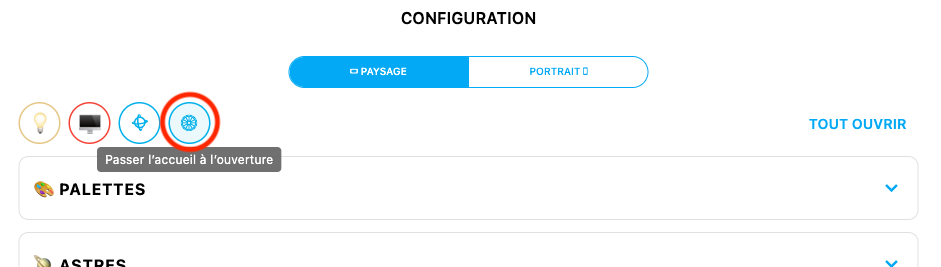
+ Next, regular users will be pleased: there is now an option in the configuration panel allowing the software, the next time it is opened, to skip the home page and go directly to the chart creation page.
+ In the configuration panel, a “WHEEL CENTER” option has been added to the display settings, allowing the center of the wheel to be contracted or expanded in order to leave more or less space between the different levels.
+ Still from the configuration panel, for the 360º-Z/2Z, 360º and 90º wheels, it is now possible to configure the display of graduations level by level.
+ On the chart, on computers only, double-clicking the year wheel allows you to type the year directly using the keyboard.
+ Improvements have been made to all PDFs exportable from the application in order to make their display more suitable, improve their distribution across pages, use a more readable font, integrate special characters that until now were not displayed, etc.
+ Throughout the software, wherever tooltips explain the functions of the buttons being hovered over, the indications have been made clearer, among other things through the use of two symbols (ċ č) specifying whether a simple click or a long click is required.

…And on that subject, the roles of certain buttons have been modified depending on the type of click in order to make everything simpler, more intuitive and more consistent. Buttons that previously required a long click or a double-click can now be operated with either a simple click or a long click, and they now also have a tooltip. These are the buttons representing an Arc, a Scale, a Set Square, a Wheel, a Lamp and a Planet.
+ On the wheel, the guide (the radial lines extending from the center of the wheel to the aspect points) now also shows the soft aspects…
+ …and the aspect bubbles on the 360º wheels now display all the aspects enabled in the configuration panel, including the semisedeciles.
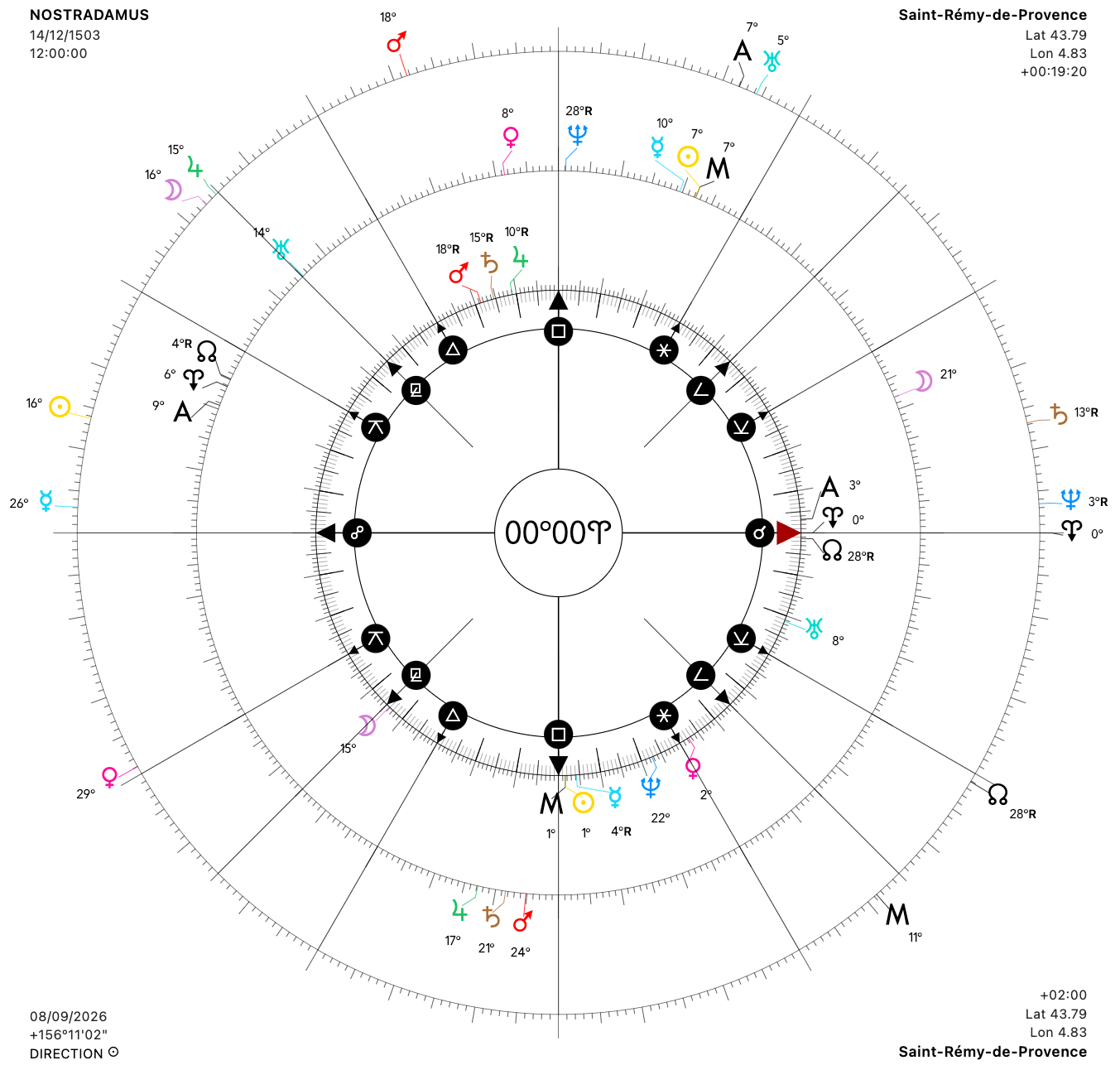
+ Some adjustments have been made to the display of the cusps on the 360º-Z/2Z wheels in order to improve them regardless of screen resolution. However, this may alter settings you have already configured. You will therefore need to adjust them again if you notice that they have been changed. Sorry, there was no way for me to avoid this.
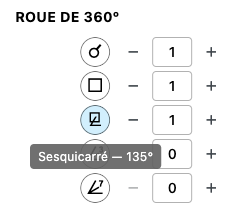
+ In the configuration panel, when hovering over the planet or angle buttons, a tooltip now appears explaining the meaning of the symbol in question.
+ Still from the configuration panel, it is now possible to choose whether to display the zodiac sign after the degrees shown next to the planets.
+ For CUSTOM POINTS (midpoints, sensitive points, degrees) in the configuration panel, it is now possible to delete everything at once, or individually.
+ Still regarding CUSTOM POINTS, but on the wheel this time, the tooltip now displays the aspects they form with the other planets.
+ Still in the tooltips, both the degrees of the planet’s position and its post-translation degrees are now specified (that is, after the wheel has been translated through the Horoscopes panel).
+ Also in the tooltip, it is possible to remove the lines concerning rulers (natural, applied, etc.) through the configuration panel by selecting NONE in the RULERS CALCULATION menu (see the CALCULATIONS section).
+ In addition, the tooltip now also indicates which planets the hovered planet rules. This allows you to know both whom it influences and who influences it.
+ Quite a few refinements have been made to 360º-Z/2Z:
— The graduations and decans can now be displayed inside the zodiac ring rather than outside it.
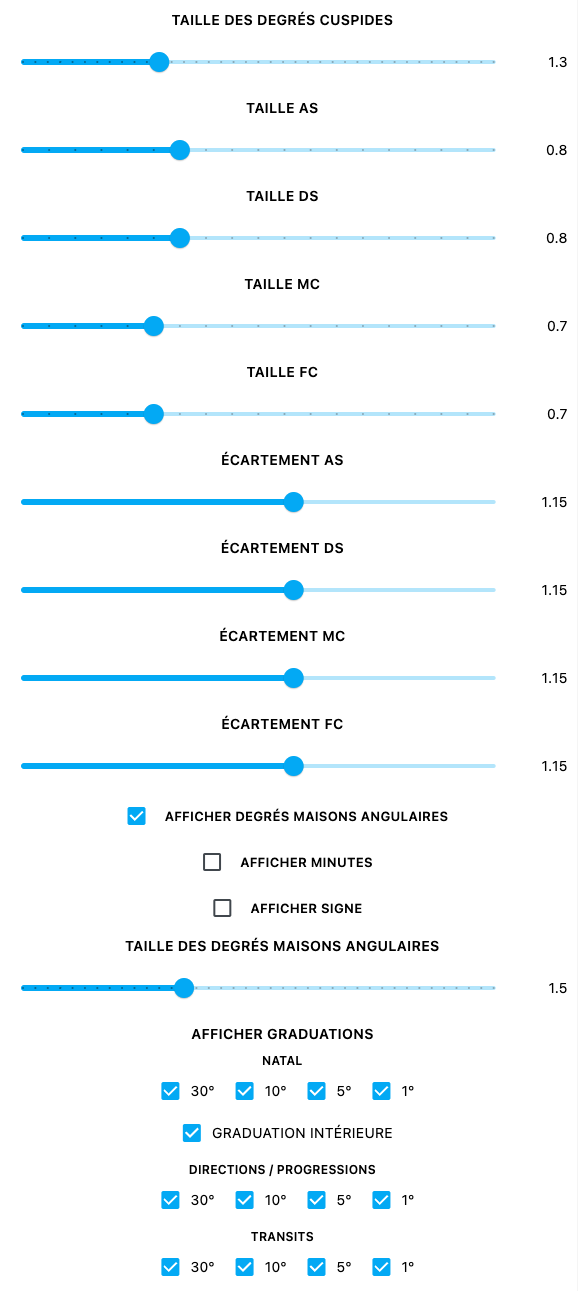
— Degrees/minutes/signs have been added to the cusps…
— …and it is now also possible to adjust their size and distance independently for each of the 4 angles:
— It is now possible to display aspects to < or > only, without having to click on them.
— The FOCUS mode (flashlight switch) has been improved so that planets, signs and houses can be highlighted directly on hover, without having to click.
— And finally, for these two wheels, the display of GRIMOIRE definitions has been improved with the addition of a REPORT 📋 button allowing them to be displayed, copied or exported as a PDF (provided, of course, that definitions have previously been saved in the Grimoire).
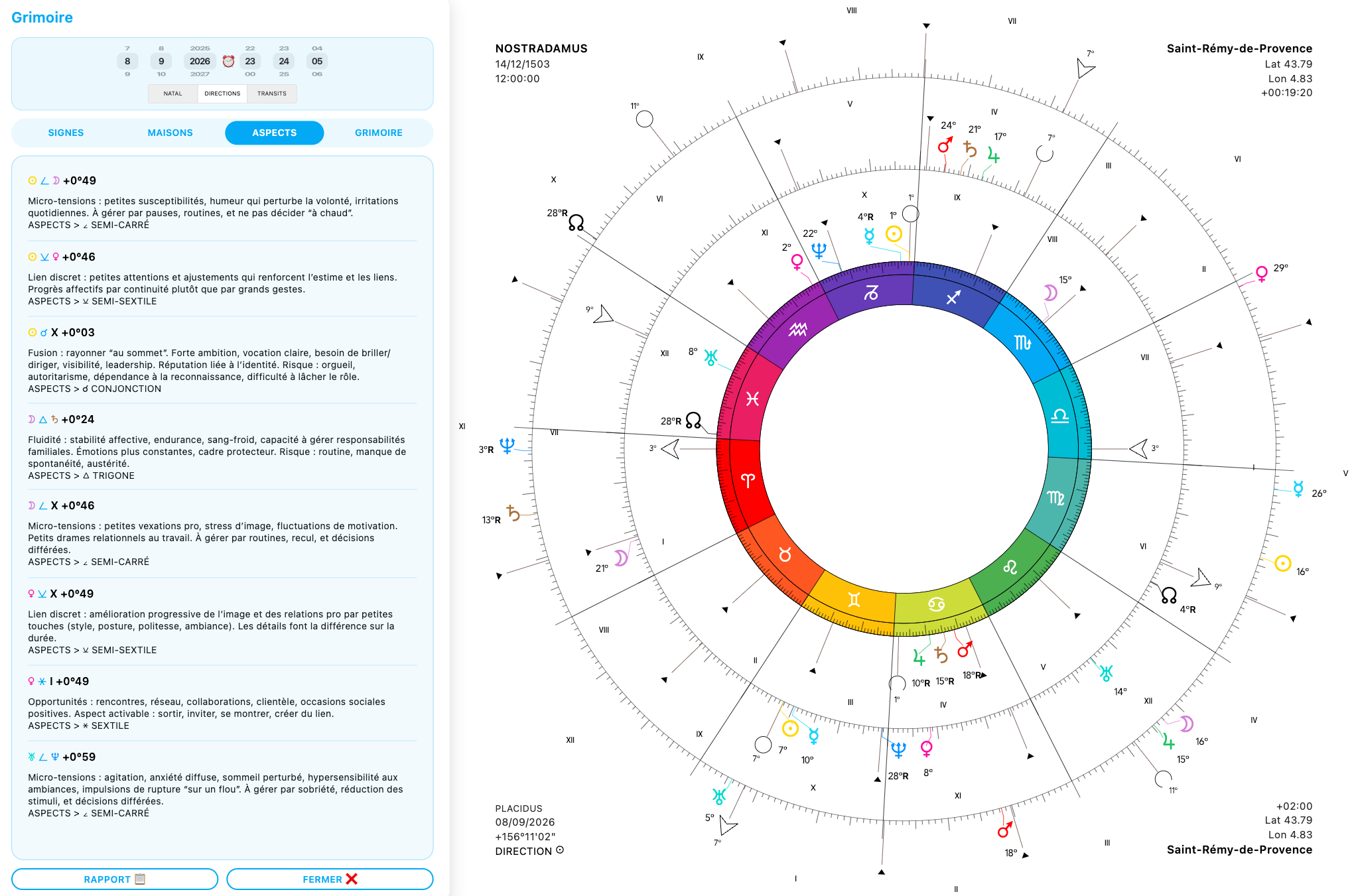
+ In the CONTEXT MENU when right-clicking on the wheel:
— the option icons have been revised…
— …and a 1/8-turn option has been added to the movements.

— Also, when right-clicking on a planet to display the list of midpoints, the planet’s current level is shown in bold for better readability.
+ In the HOUSE TABLE, a tooltip now displays the degrees of the planets in Houses and Signs.
+ In EVENTS, on the INGRESSES page, it is now possible to display lunar ingresses instead of solar ingresses.
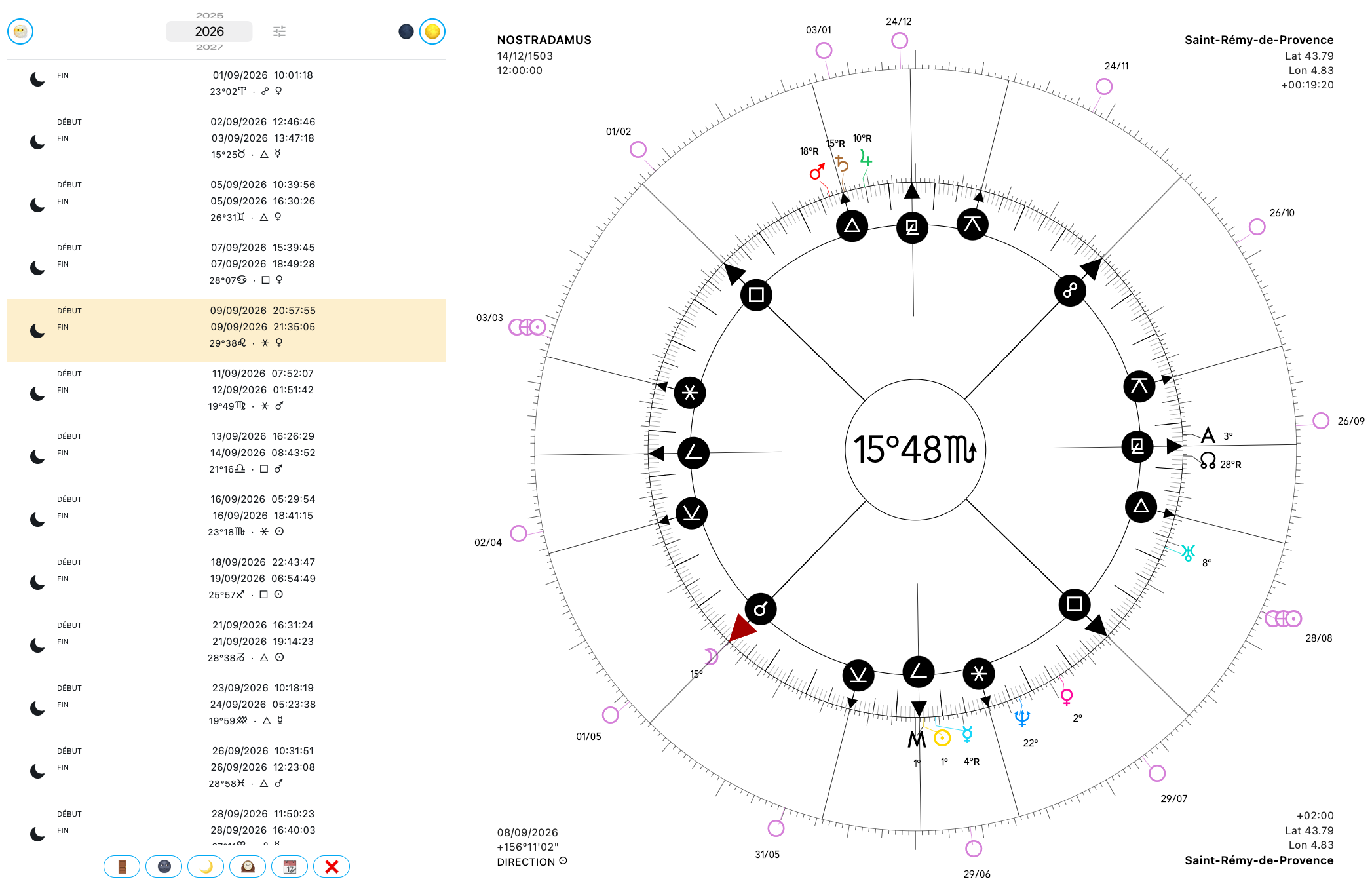
+ And for ECLIPSES, their magnitude has been added.
+ In the GRAPH EPHEMERIS, the hover marker now uses the accent color defined in the display settings of the configuration panel, so that it better matches the visual style selected by the user.
+ In the date TRACKER, a 📆 has been added to save the date to the DATES list in ❝ NOTES, as well as an ⓘ on each row to provide the definition of the figure in question:

+ And in the ASPECTARIAN, a long press on an aspect displays its definition.
+ A long press on ❝ allows you to open the NOTES panel directly on the DATES tab…
+ …when you click on DATES again, it takes you back to the list…
+ …when a date is saved, it now also saves the type of direction being used, as well as any relocation, the display of antiscia/contra-antiscia/mirror points, wheel rotations (horoscope), displayed or hidden planets, custom elements, etc…
+ …and finally, in the ❝ NOTES panel, a 👁️ button has been added next to the slider so that you can click on a date without changing the date currently loaded into the wheels, allowing you simply to “consult” the saved events without actually loading them.
+ Regarding the REPORT 📋 in ❝ NOTES, FIGURES tab, it can now be exported as a PDF.
+ In the HOROSCOPES panel, the mention of antiscia and contra-antiscia now appears only when using a zodiac wheel. For Uranian wheels, there is now only one option: “MIRROR POINTS”, which allows you to choose both the mirror plane(s) and the planets to be reflected. The ≥ ≤ symbols associated with antiscia/contra-antiscia are then replaced by the symbol of the planet acting as the mirror plane.
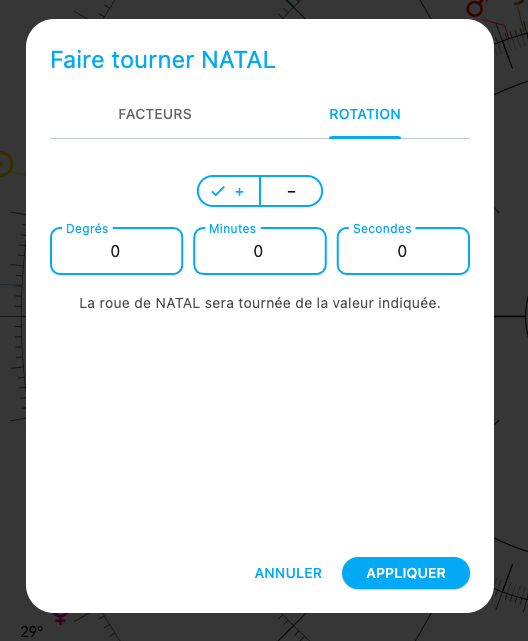
+ Still in HOROSCOPES, first of all, I reversed the NATAL and TRANSITS levels following feedback indicating that this would be more logical (which I agree with). In addition, it is now possible to choose to rotate whichever level you want by a precise number of degrees:
+ Still in HOROSCOPES, the cardinal points have been added to FACTOR B, even when they are hidden on the wheel.
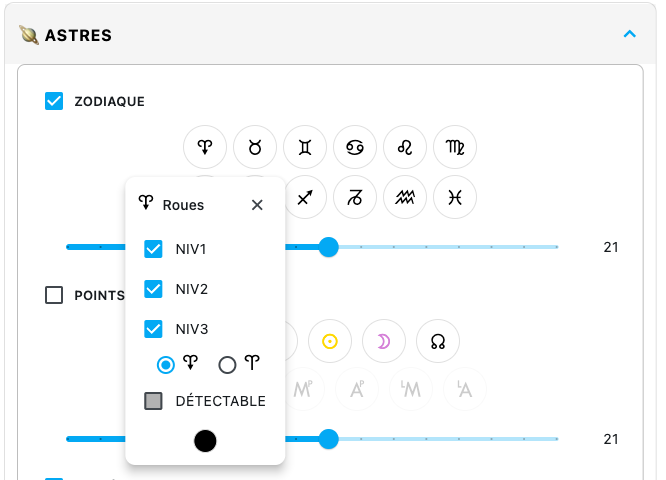
+ To complement this, from the configuration panel it is now possible to display any zodiac sign on the wheel and, from its customization window (long press on the button for the relevant sign), to make it detectable or not — in other words, to turn it into either a simple visual point or an actual point involved in calculations and listings. Also, regarding the Vernal Point, it can now be displayed in either of its two forms (A B).
+ The Cusp mode of the movable wheel has also been adapted to allow the wheel to rotate correctly onto each zodiac sign.
+ In the declinations, degrees are now displayed directly next to the planets (on computers/tablets only).
+ And the length of the strips is now dynamic so that they adapt to planets exceeding 30º of longitude.

+ The Listings have also undergone a slight redesign:
— First of all, the list of display options has been revised and now shows BODIES, BODIES+MP, BODIES+SP, MP, SP.
— The modulos have been expanded. They now include: 360º+SIGNS, 360º, 90º, 45º, 30º+15º, 30º, 22º30, 15º, 5º37 and 1º24.
— From the zodiac wheel, the ORB column displays the House and the distance from the cusp.
— When long-pressing a planet, the popup now also displays the relative position, absolute position, declination, and any COMBUST, CAZIMI or UNDER THE BEAMS status (this status also appears in the tooltip when hovering over a planet on the chart, so on computers only).
— And this same popup can also be opened from the wheel by right-clicking on a planet and then selecting INFO in the context menu, or by long-pressing a planet to open the MPFP page and clicking on the ⓘ next to the planet.
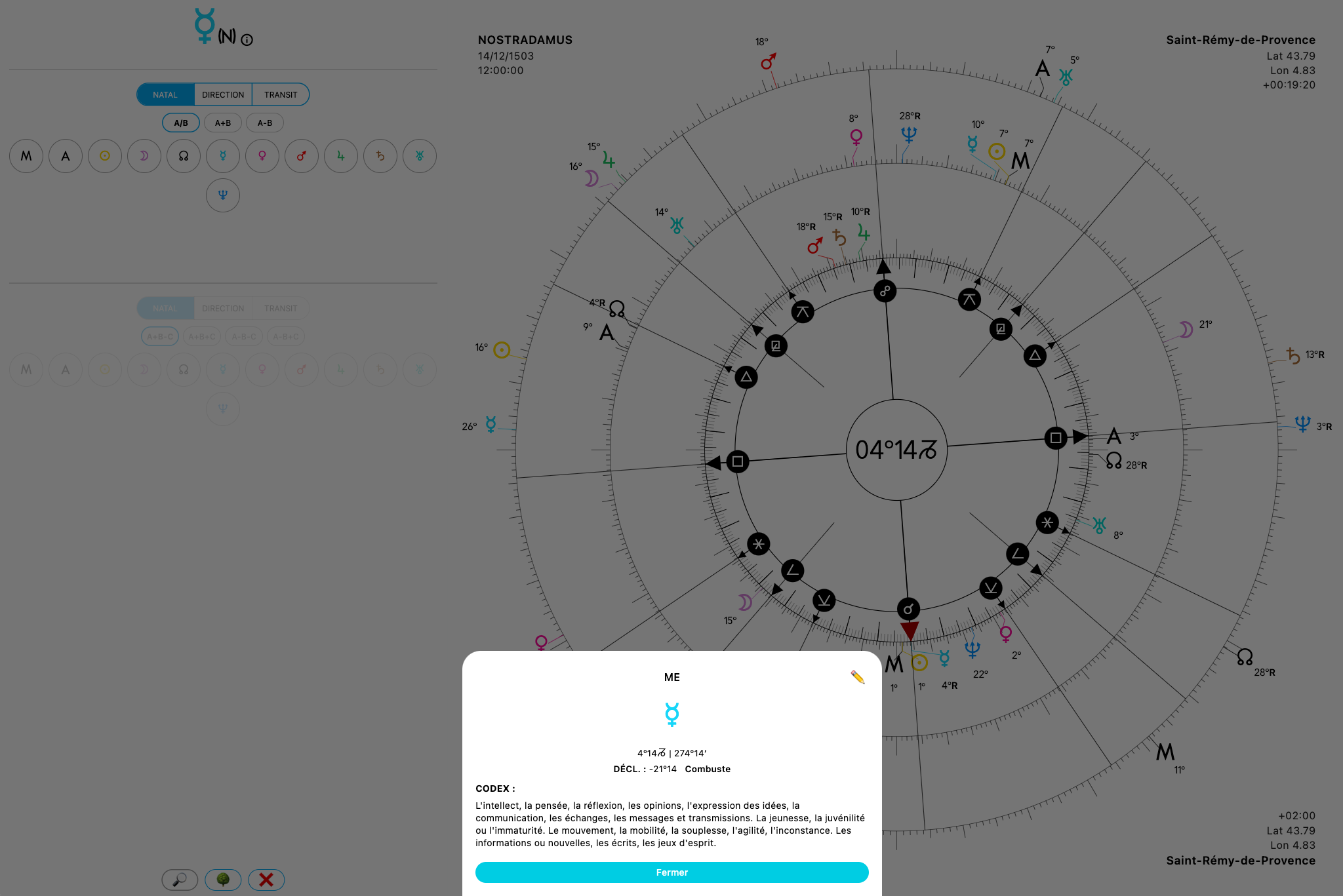
+ In the midpoint tree, under the SENSITIVE POINTS tab, it is now possible to change the operators (+–, ++, ––), as well as mix factors from all levels at the same time. On computers, the panel now remains open even when clicking on a row to rotate the wheel onto it. The contents of the tree can also be copied and then pasted into ❝ NOTES.
+ Regarding DECLINATIONS, there are now two calculation modes, selectable from the configuration panel. The first calculation mode is based on the ecliptic (δd = arcsin(sin εd sin λd)), while the second is based on Witte’s instructions: δd = arcsin(sin βn cos εd + cos βn sin εd sin λd), where δd = directed declination, λd = directed ecliptic longitude, εd = obliquity of the ecliptic at the direction date, βn = signed natal ecliptic latitude.
+ Finally, a ✏️ button has been added everywhere definitions appear (House Table, Listing, Distances, Triple Pattern, Triple Axes, Tracker, Tree, MPFP, Astroportrait, Planetary Sequences), allowing you to write your own personal definitions without having to go through the Grimoire. An additional option has also been added right at the top of the configuration panel, allowing you simply to disable my own Codex entirely (I am not forcing anyone to use it!) and therefore display exclusively your own definitions.
+ A small note regarding synastry display: it is now possible to display DIRECTION+SYNASTRY or PROGRESSION+SYNASTRY, as requested.
And finally, let’s talk about the new features (big and small) in this version 9.0.0:
+ Perhaps the least important one for the majority of practitioners: a menu has been added to the configuration panel concerning the calculation of the progressed meridian, renamed the personal meridian in accordance with Witte’s texts, and offering a different, more refined calculation mode based on sidereal time rather than on simple longitude interpolation calculated from the transiting Sun, directed meridian and natal Sun: RA Mp = RA MC + (ST event + ST birth) + (ST progression – ST birth), followed by conversion from equatorial longitude (RA) to the ecliptic. This can alter the result by a few arcminutes compared with the simple calculation. It therefore does not make a major difference, but it may interest purists.
+ Still from the configuration panel, another menu allows you to choose whether the Lunar Returns button should always calculate them in the usual way, or whether you want to assign it the function of calculating the Moon’s synodic return instead, which produces different dates that are very rich in meaning and can complement the work done with lunar returns.
+ In EVENTS, under the LUNATIONS tab, there are three new buttons. The first, on the left, displays the list of dates when the Moon is void of course, while the two buttons on the right allow the Full Moons or New Moons of the year to be displayed directly on the wheel:
+ Still in the configuration panel, new aspects have appeared: the Septile, Quintile and Biquintile, but also the 15º aspect that I have named Corsigni (a term meaning “the heart of the sign”, because the 15th degree represents the center of the zodiac signs and constitutes a highly important point in the manifestation of world events), together with its three higher declinations: the Quicorsigni, Septicorsigni and Undecorsigni.
+ In addition, every aspect in the list is now clickable in order to display its characteristics, assign it a specific color, and decide whether or not the lines it forms on the wheel should have a thickness proportional to the exactness of the angle:

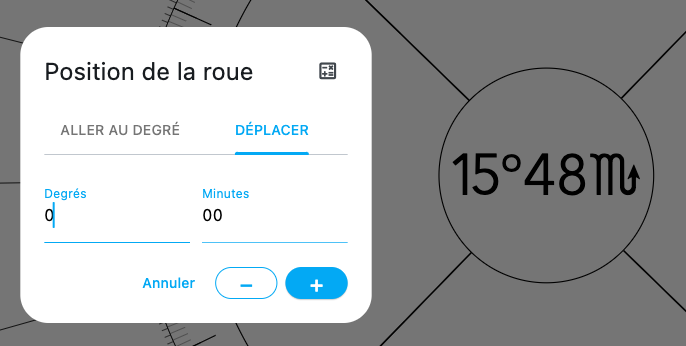
+ Double-clicking the center of the wheel still displays the popup allowing you to go to a specific degree. But a second tab has now appeared: MOVE. This allows you to rotate the wheel, from the point it is currently indicating, by + or – a certain number of degrees:
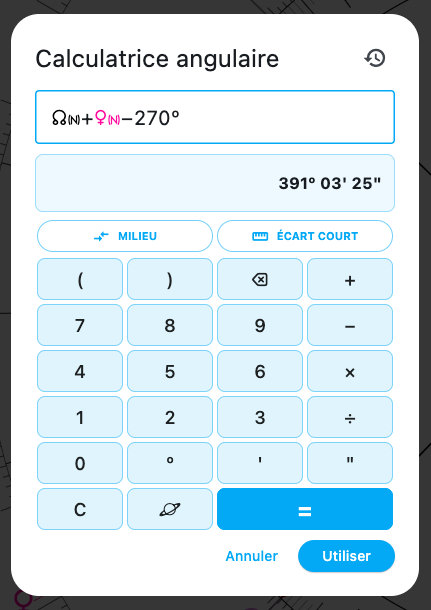
+ And in the same place there is now a button linking to a degree calculator that can be used either with the virtual buttons or with your own keyboard. It remembers the last 20 calculations, allows planets to be inserted directly into calculations, provides information about planets when their symbols are long-pressed, and allows midpoints to be calculated either by longitude or by the shortest path:
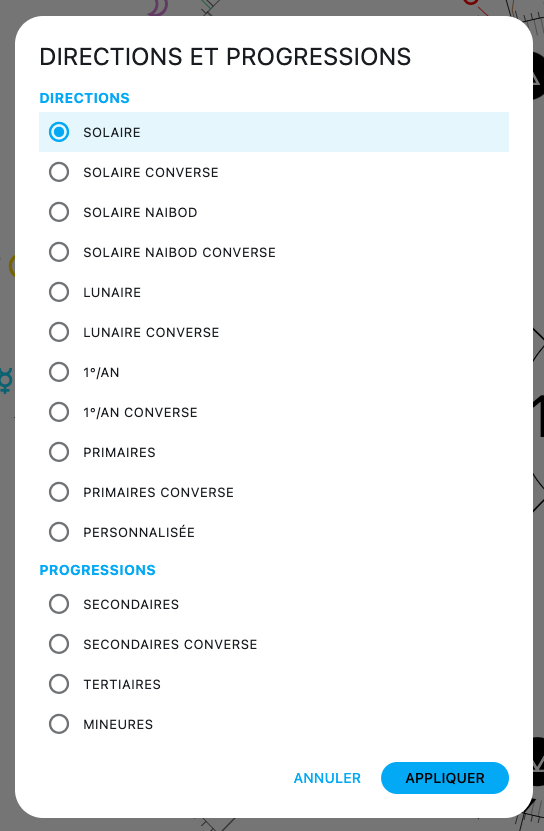
+ Among the control buttons, clicking on the planet image displays the list of directions/progressions available in the application because, yes, new calculation modes have been added! The following are now available: solar direction, converse solar direction, Naibod solar direction, converse Naibod solar direction, lunar direction, converse lunar direction, 1º/year, converse 1º/year, primary directions, converse primary directions and custom directions; followed by secondary progressions, converse secondary progressions, tertiary progressions and minor progressions:
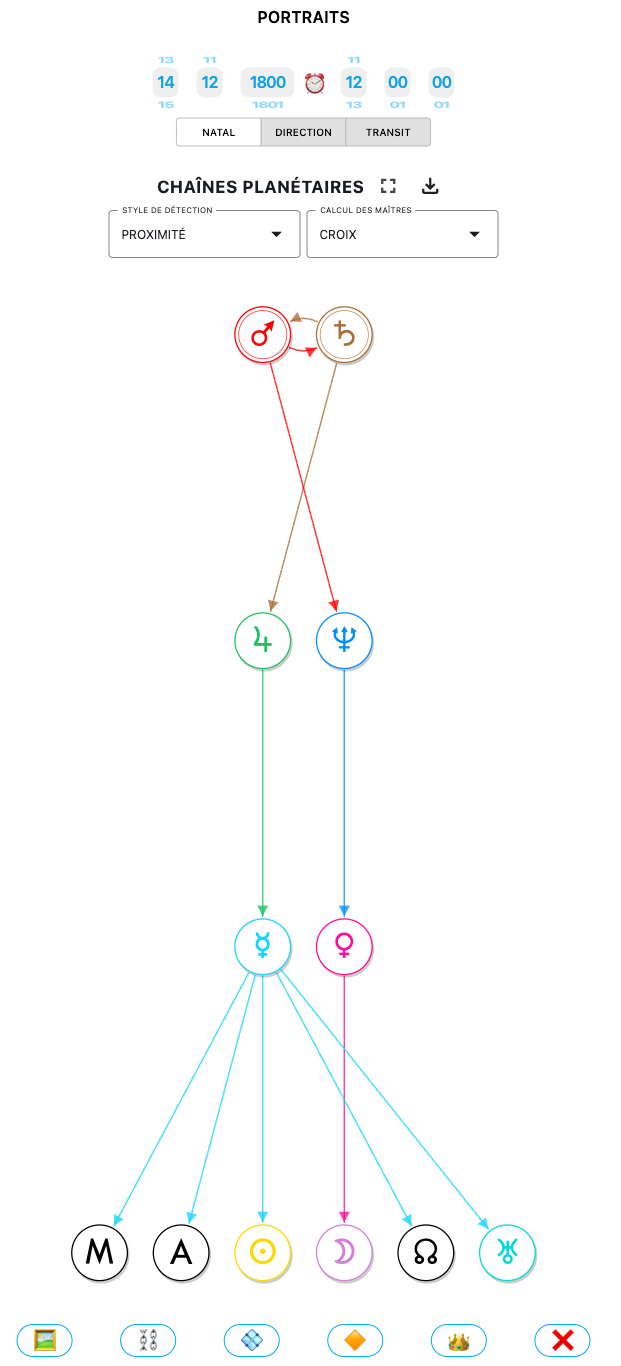
+ From the PORTRAITS panel, there is now a tab dedicated to PLANETARY CHAINS, where you can display “Witte’s Rulerships” (by proximity):
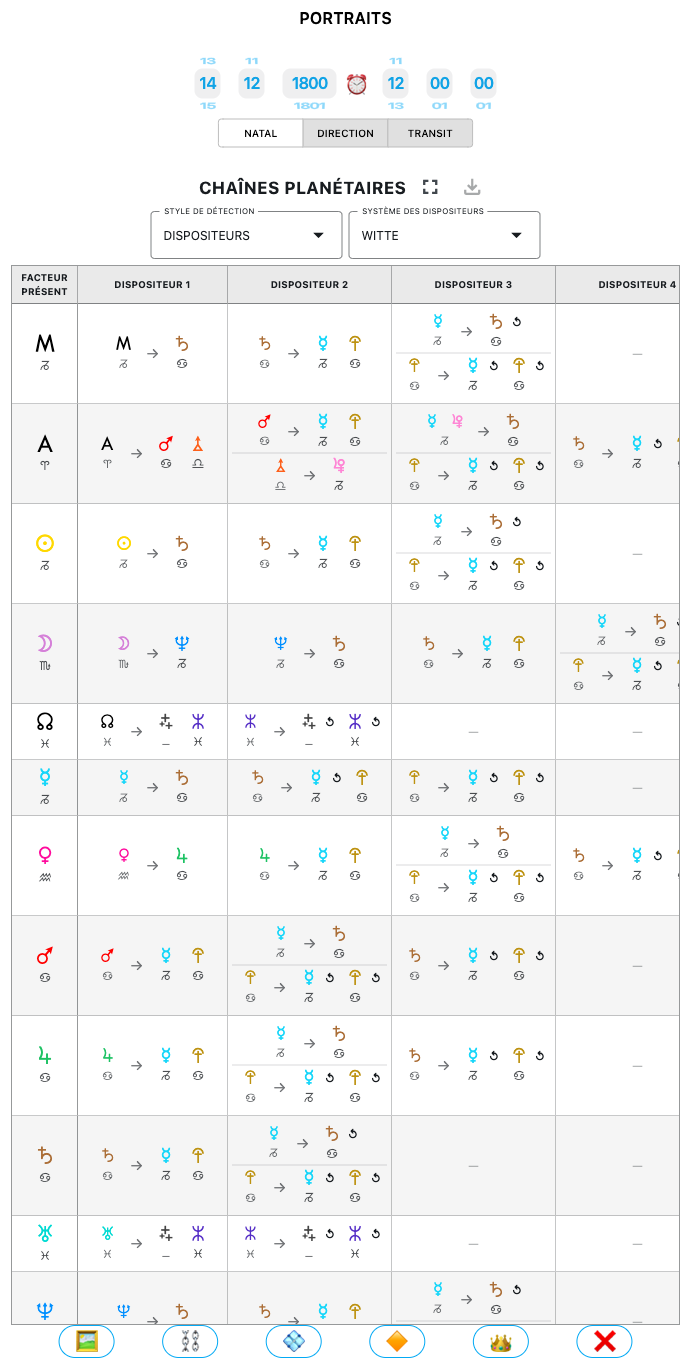
+ Or the dispositors, either according to Witte’s system, the classical system, or the user’s customized system:
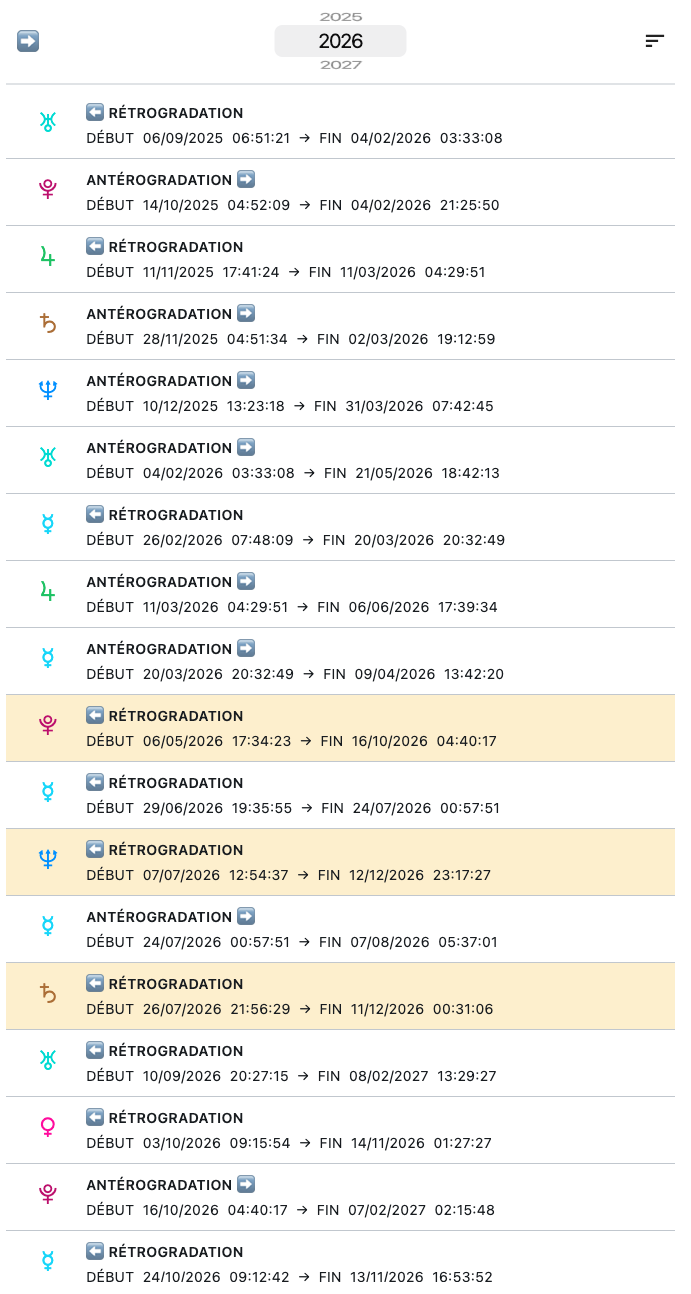
+ In EVENTS, there is now a retrogradation calendar that also displays prograde motions and whose display mode can be sorted:
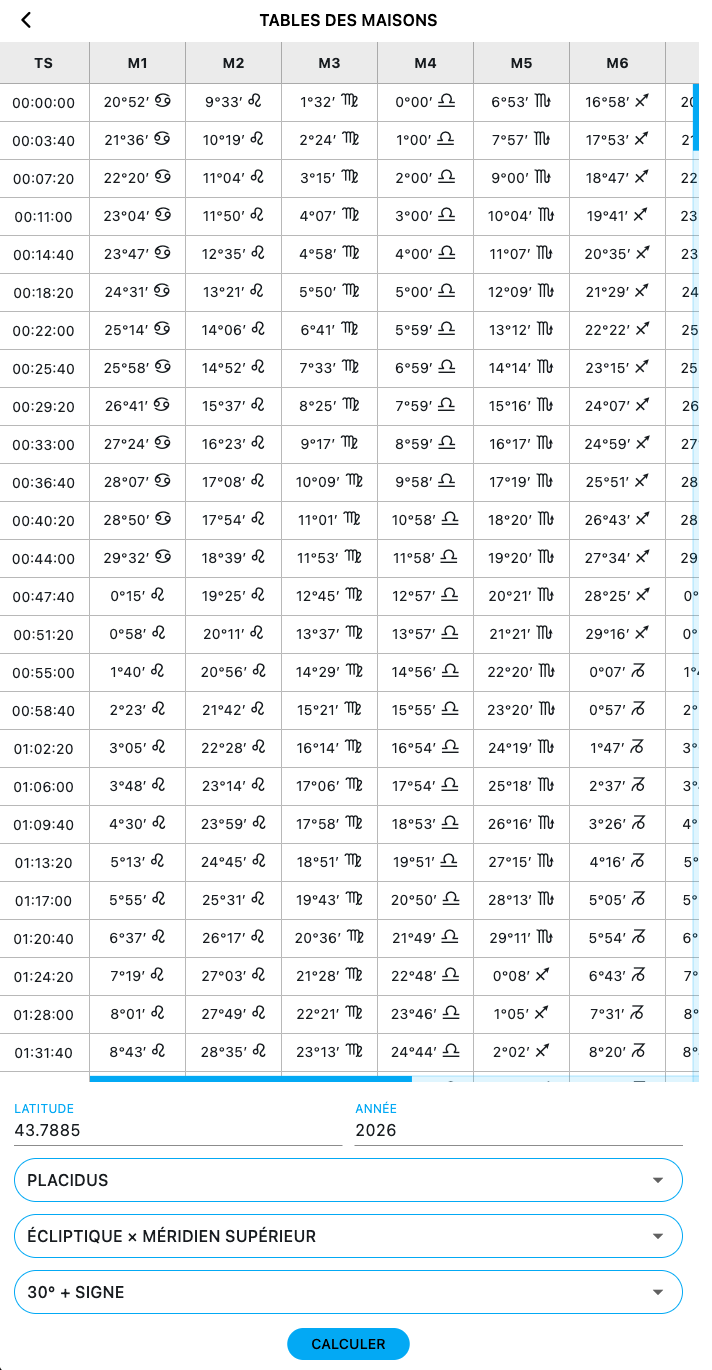
+ When opening the HOUSE TABLE from a zodiac wheel, there is now a button for generating “Tables of Houses”:
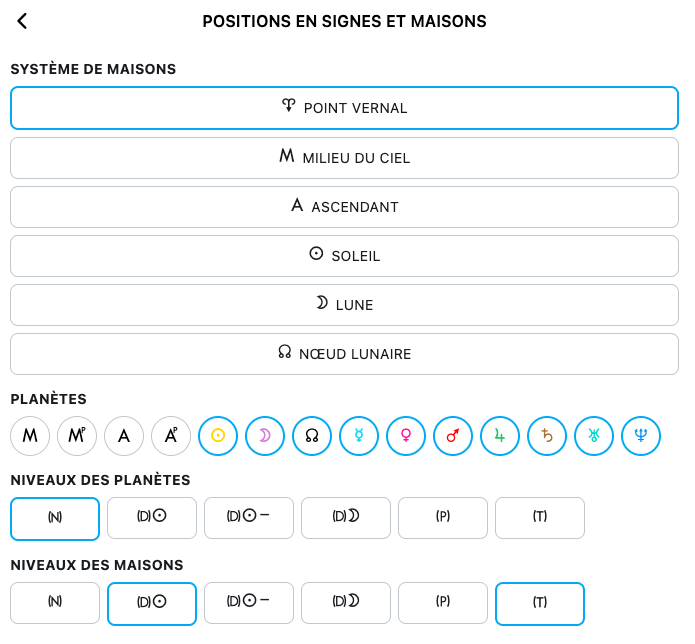
+ And still in the HOUSE TABLE, regardless of which wheel it is opened from, there is a button for generating tables of planetary positions in signs and houses:
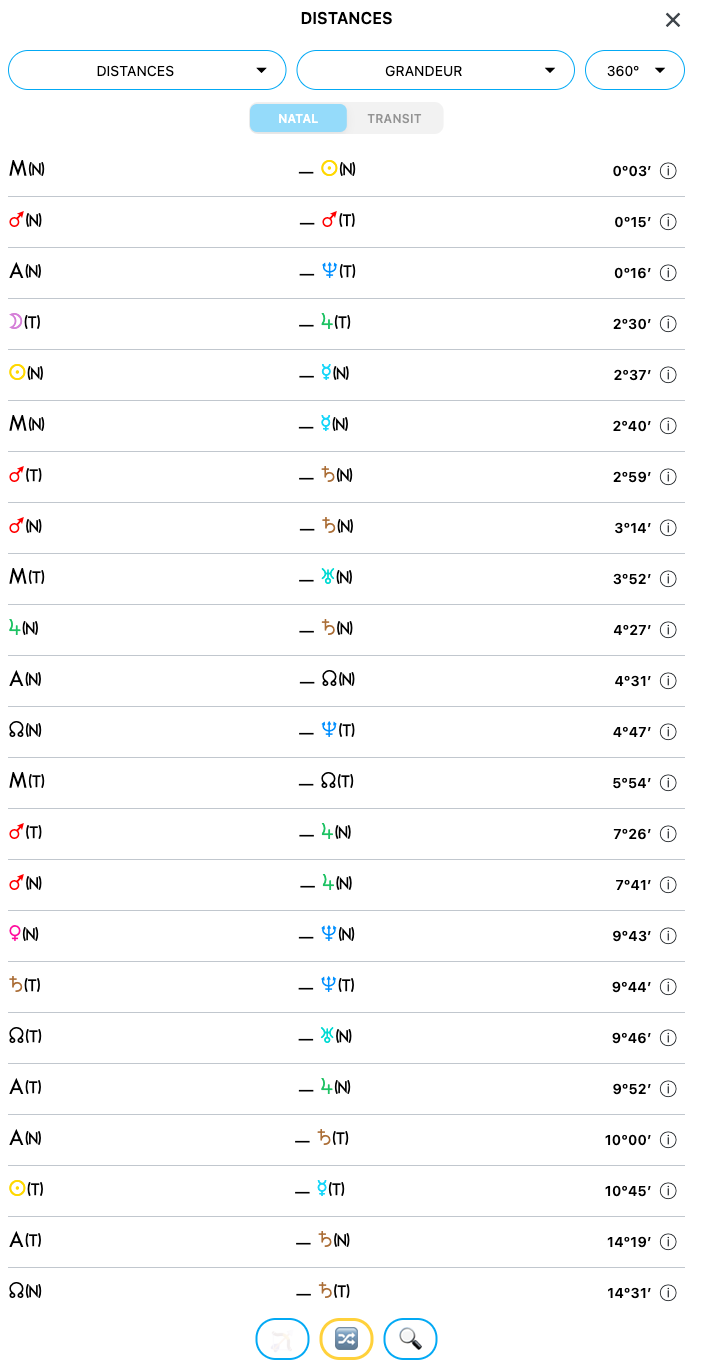
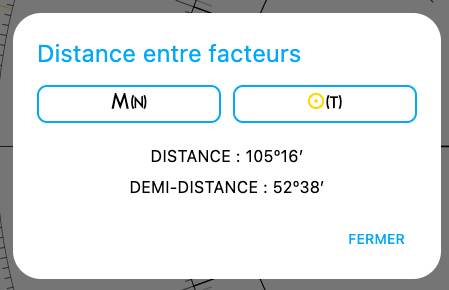
+ Among the control buttons, clicking the SCALE-shaped button opens a new panel allowing you to display distances and half-distances, mix levels or keep them separate, and search for the distances between any two factors of your choice:
+ I have also added something entirely experimental, which I have been working on for some time and which still requires extensive verification. It is a birth-time rectifier. To access it, go to the TRACKER, where you will find a target-shaped button at the very top right of the window. Clicking it opens a fairly complex page from which you first need to choose which factor you want to rectify (N, Y or the < > pair) in order to determine whether you want to rectify the day, hour or minute. You then choose the presumed birth range. Next, you select the wheel and orbs, followed by the comparison levels. Finally, you enter events (which can come from the DATES saved in NOTES), and then the planets you want to involve in each of these events. The more relevant, significant and accurately dated/timed events you have, the more useful the rectifier may prove to be. But once again, I repeat: this is an experimental feature that still requires considerable refinement and should NEVER be used as a first resort, nor by a beginner, but only by an experienced practitioner who knows what they are doing and who has already carried out other preliminary checks regarding the reliability of the birth time.
+ Next, a feature that will be of particular interest to professional astrologers, authors, teachers and webmasters: a long press on the screenshot button (ß) opens an on-the-fly chart generator, in PDF or PNG image format, according to a selected time type, and optionally including the CHARTS, ASPECTARIAN and LISTING.
+ Finally, to finish (or almost), a “User Manual” is now integrated via the 📔 button and provides a quick definition of each function and explains how to find it:

Is that everything?
Almost…
Because one final new feature has appeared, and this one certainly made me sweat.
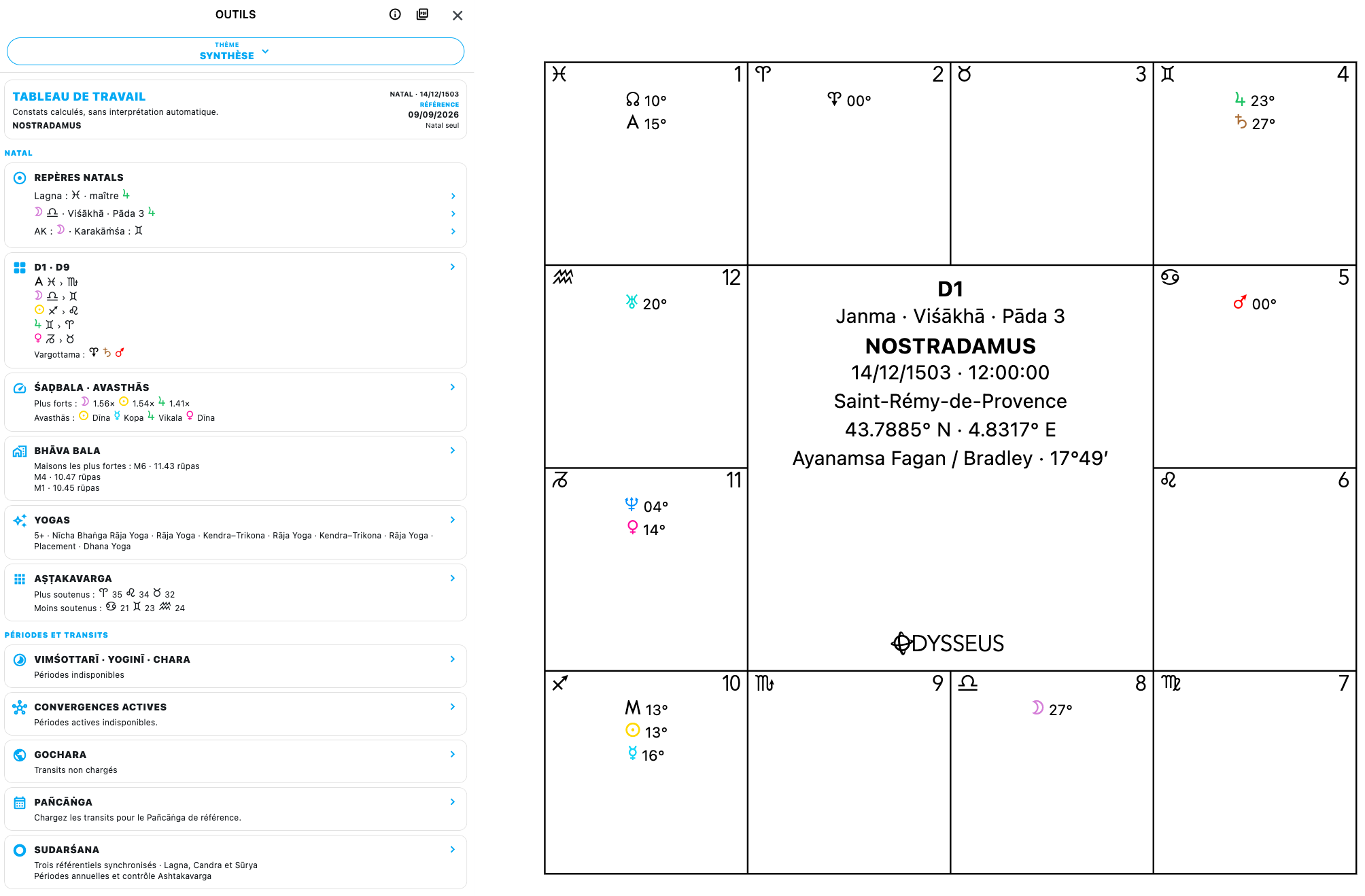
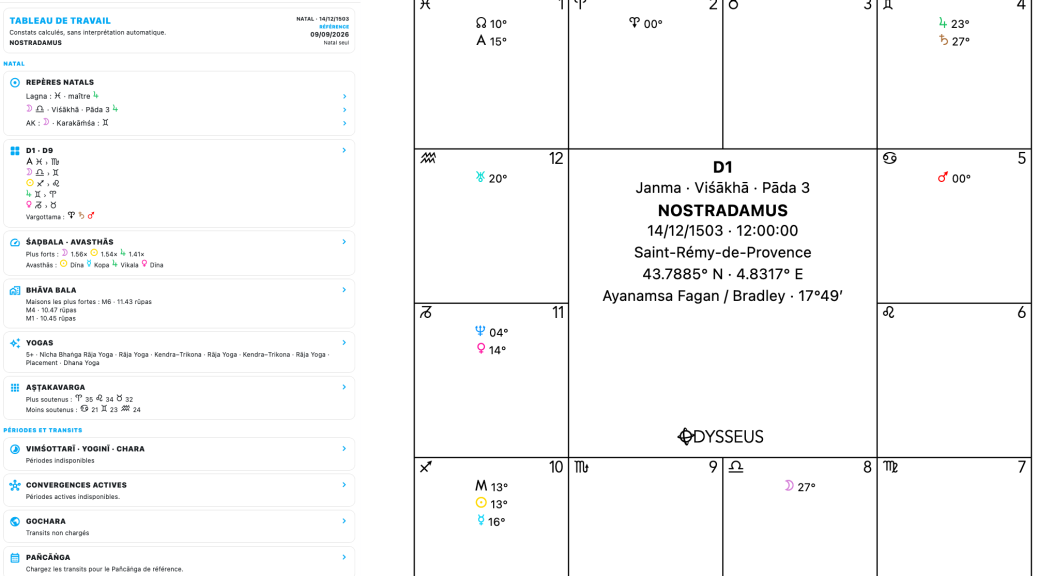
From the chart creation page, you can click on the logo at the very top of the page and then display the chart. It will then appear… in “Jyotish” mode. Indeed, the software now includes an entire “Indian astrology” section with a very large number of features that still need to be tested, checked and corrected where necessary. I will provide a detailed explanation here later, once everything has been refined and corrected. I would like to thank in advance the astrologers who will take the time to explore it.
A small note: a button has been added to the control buttons on the bottom row to switch from Western mode to Jyotish mode. However, be careful: switching from one mode to the other in this way still seems to carry a risk of calculation bugs. So use it with caution.