Version(s) 7.7
Over the past few weeks, a long series of updates has taken place, forcing me to delay until the very last moment the day when I would list all the new features. But since the latest version seems fairly stable, let’s take stock.
+ First of all, more than 500 bugs have been fixed. Bugs that were not always obvious, not always visible, sometimes completely invisible, but which could slow down or clutter the application. So this was a huge painstaking effort, and it is not over yet, because it is impossible to add new things without having to rethink optimization every single time.
+ I also added the missing time regime specific to Alabama. As usual, I can never say it enough: be very careful with time zones in complex countries or for old dates. I am correcting things progressively, but UTC calculation errors can still occur.
+ Next, there has been a major improvement to the display of the “Compose a chart” pages (long press on 🔭) and “Multi-chart” (long press on 🤝) in order to make them suitable for small computer screens (hi Béa 😘). In addition, on these pages, the “CLEAR THE MAP” button has disappeared, replaced by the ⌫ button, which serves the same purpose.
+ A small new feature on the chart loading screen: a long press on 🗂️ displays the list of the most recently opened charts. Handy so you do not have to go looking for them in the folder.
+ In that chart folder, the list of tags is still displayed at the top. But now the number of charts contained in each tag also appears.

+ A major bug in the synastry page 🤝 prevented changing the date and time of chart 2. This has been fixed.
+ Likewise, a bug has been fixed that, in dark mode, caused listing PDFs to be generated with white characters on a white background, making them unreadable.
+ The screenshot button ⛶ now generates a file that is automatically named after the currently open chart.
+ The lines at the bottom right of the map have been swapped so they no longer overlap the map.
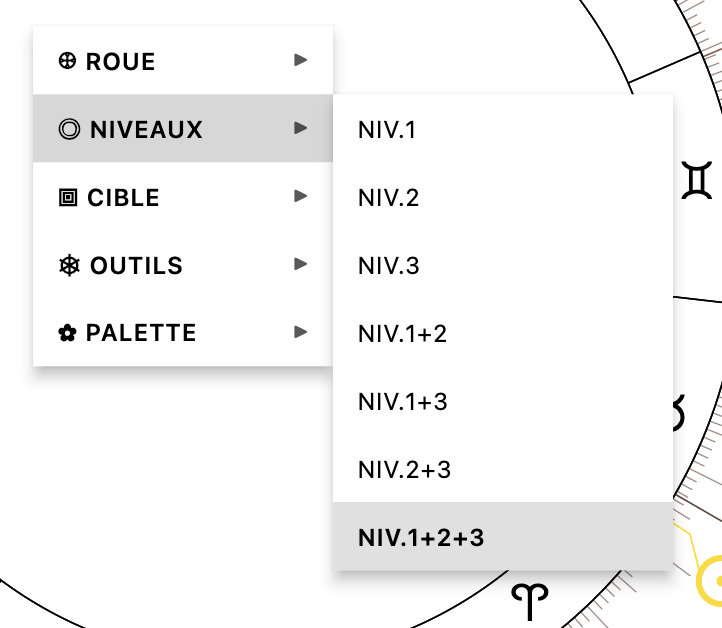
+ For computers only, right-clicking on the map now brings up a contextual menu containing the list of wheels, levels, targets, tools, and palettes, making it quicker to switch from one option to another.
+ Still for computers, and for certain tablets in landscape mode, instead of opening all windows full screen, some now open as a side panel. This was already the case for the Codex Ł and Notes ❝, and it is now also the case for the House Table 🏠, Listings 🧮 and 🍢, Events 🎉, Relocation 🧭, Axes and Triple Patterns 🎯, the Aspectarian  and the configuration panel ⛭.
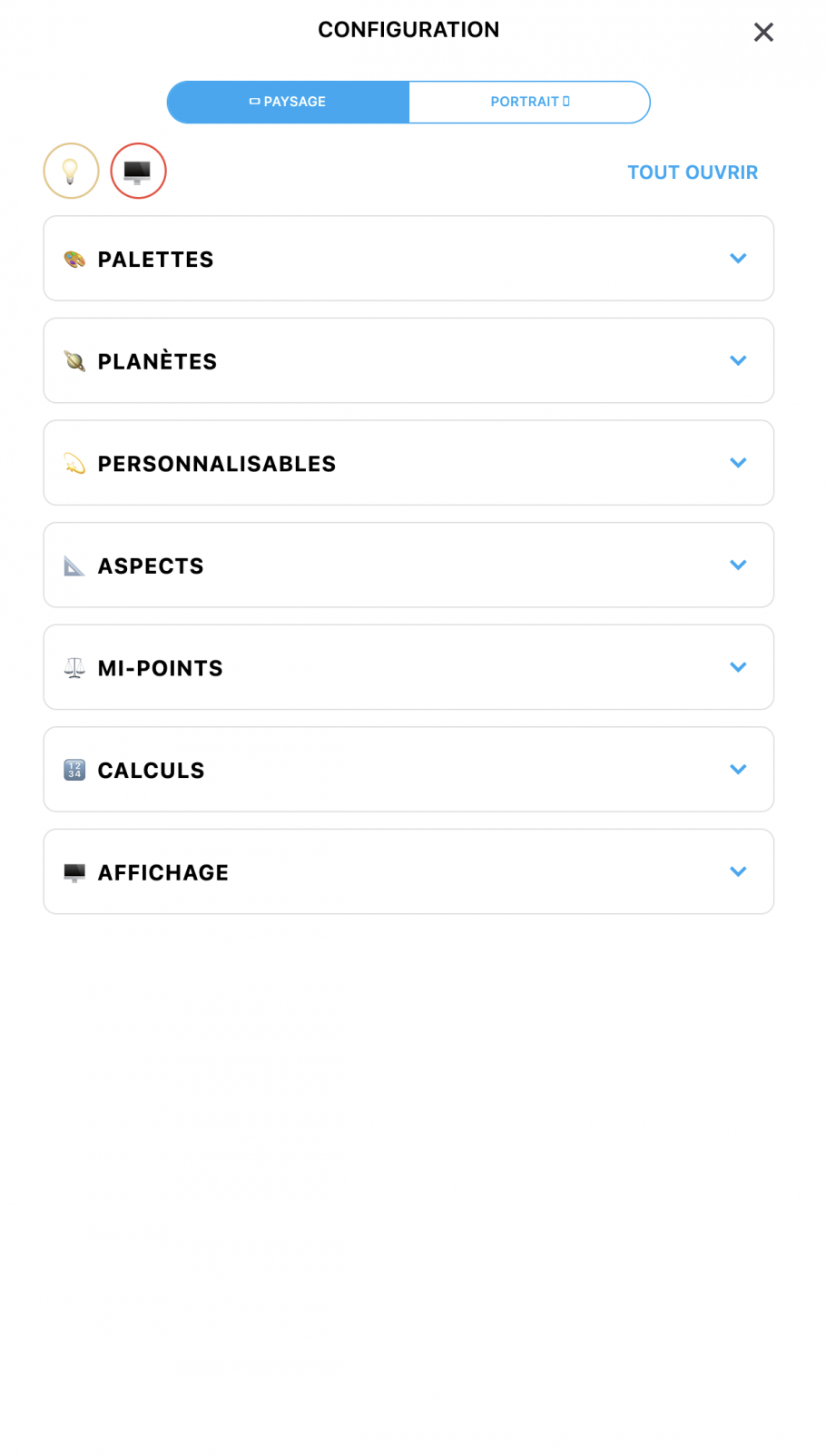
+ At the very top of the configuration panel ⛭, a light bulb 💡 has been added to switch from light mode to dark mode without having to return to the application home screen. Likewise, a 🖥️ button has been added to open directly the page on the website dedicated to the application’s tutorial videos.
+ Still in the configuration panel, all content is now reorganized into blocks that can be opened and closed. And the planets section is now divided into two parts, separating the “normal” celestial bodies on one side, and the “customizable” ones on the other (midpoints, sensitive points, degrees).
+ In addition, still for computer/tablet use, the entire configuration can now be set separately for portrait mode and landscape mode, since computers and tablets can switch from one to the other.
+ Palette management now allows them to be deleted if desired, but also allows the parameters of one palette to be copied and pasted onto another. Palettes can also be imported and exported.
+ And a HUGE amount of customization has been added in this version. You can now customize… almost everything. The background color, the wheel color, the sign colors, the planet colors, the application accent color (all modified colors can be reset to default by long-clicking the colored dots), the size of planets, aspects, the entire wheel, informational texts, whether or not graduations are displayed, aspect circles, and much more. All these parameters are saved in the palettes.
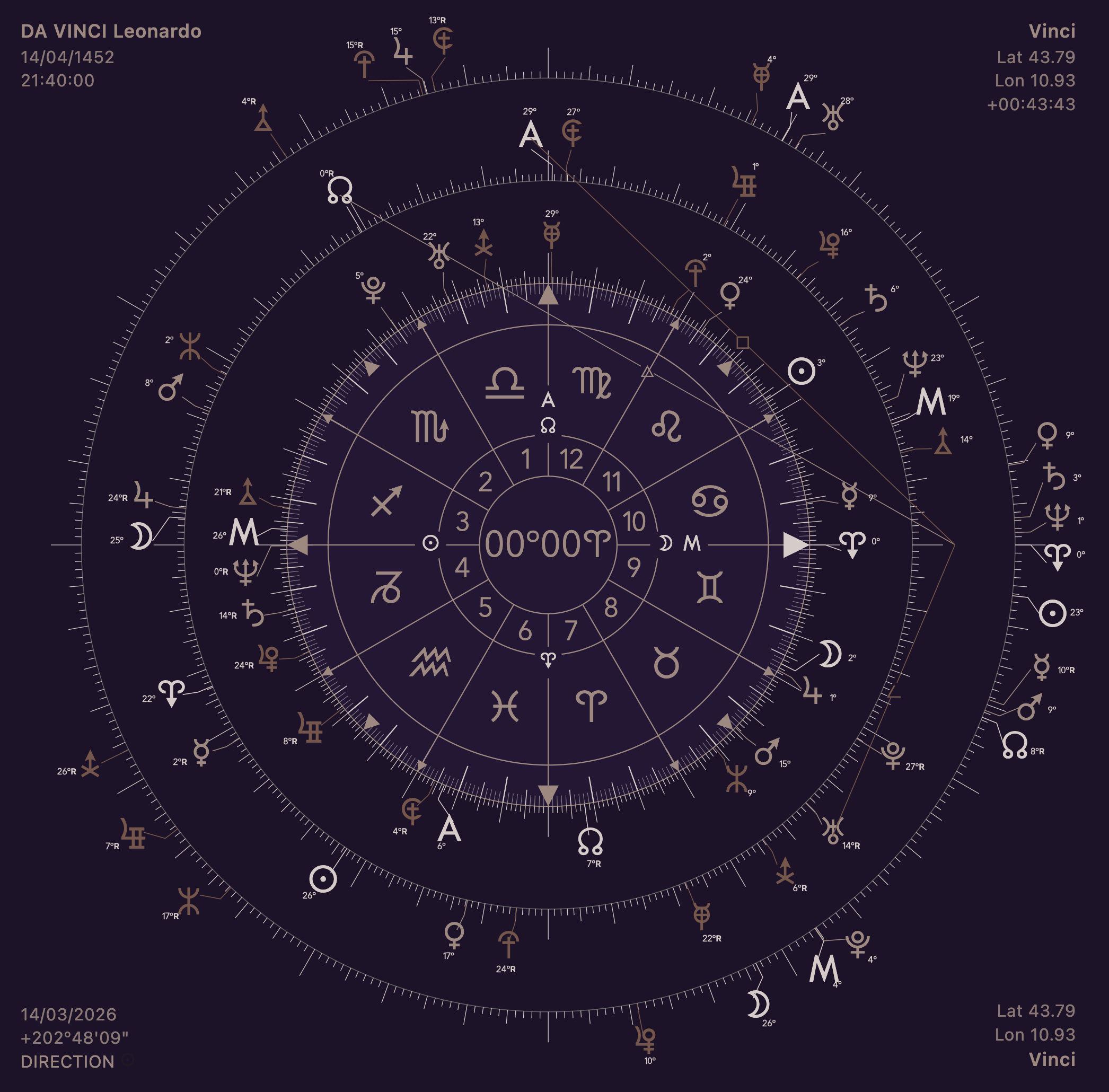
+ Degrees and minutes can now be displayed next to the planets and, likewise, their size can be customized.
+ Also, the tooltip that appears when you leave your mouse cursor over a planet for a long time can now be disabled, or its text size can be changed.
+ Next, let us leave the configuration panel and go to the Notes ❝ tab. The 🪐 button for adding planet symbols now works in all text fields in the tab. PDF export has also been improved, and the exported image has been optimized.
+ Quite a few bug fixes have been made here and there in this panel and in the Codex Ł panel, with corrections to definition display issues, incorrect orb calculations, erroneous aspects on harmonic wheels, etc. In addition, when you now click on an “A” planet that falls on the “A/B” midpoint, the Codex displays the definition A=B.
+ Still in this same panel, in the Codex tab, you can now carry out searches directly with buttons, or through the text form. In addition, you can search for several contiguous terms by enclosing the words in quotation marks (for example, “happy marriage” will search for those two terms in sequence, rather than separately) or by adding + signs between each term (happy+marriage).
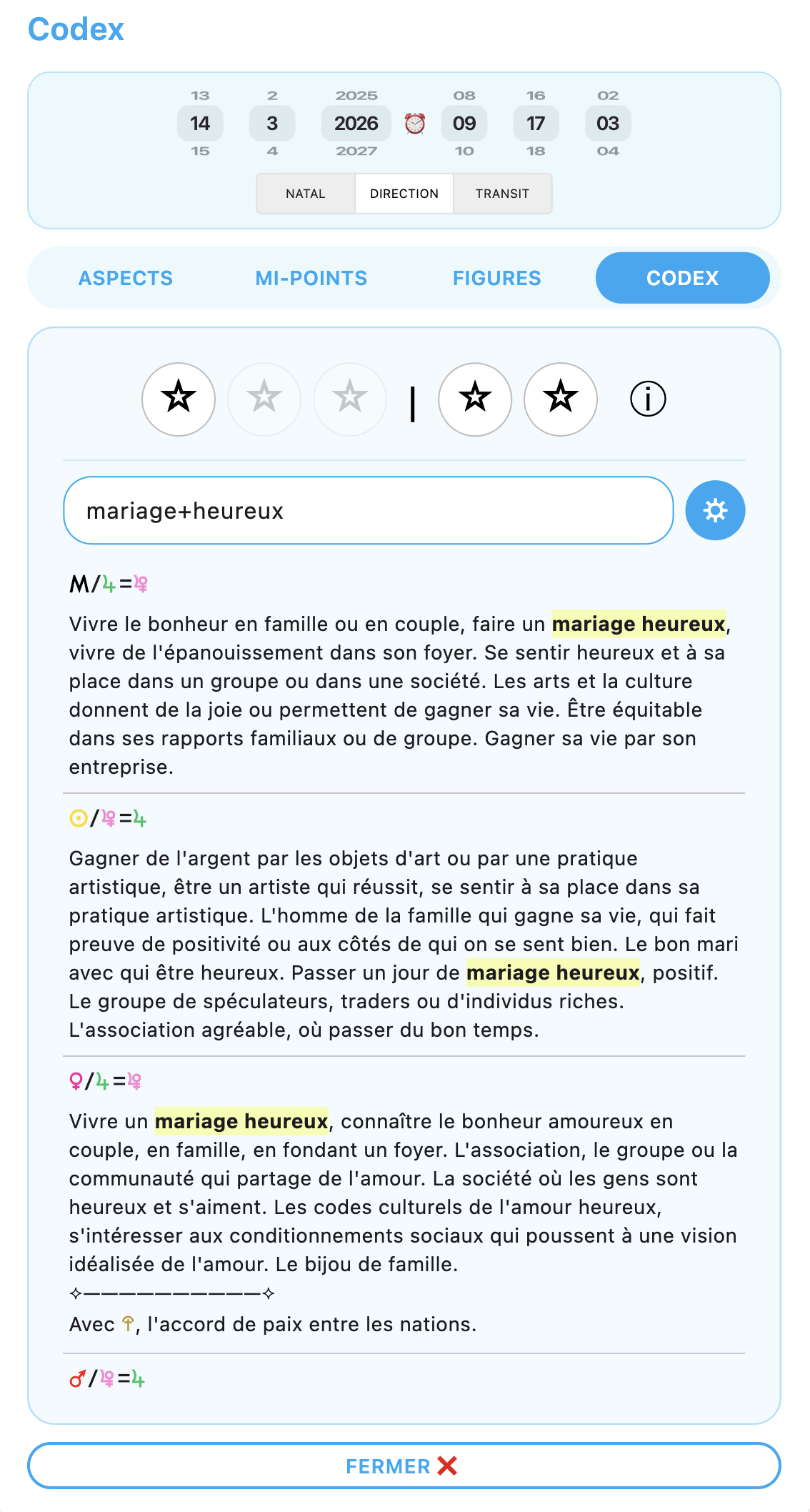
+ Finally, still in the same place, each definition can now be edited directly by adding personal definitions with the ✏️ button. Likewise, these definitions can be edited via the Search 🔎 page, and Codex definitions can also be disabled so that only personal definitions are kept.
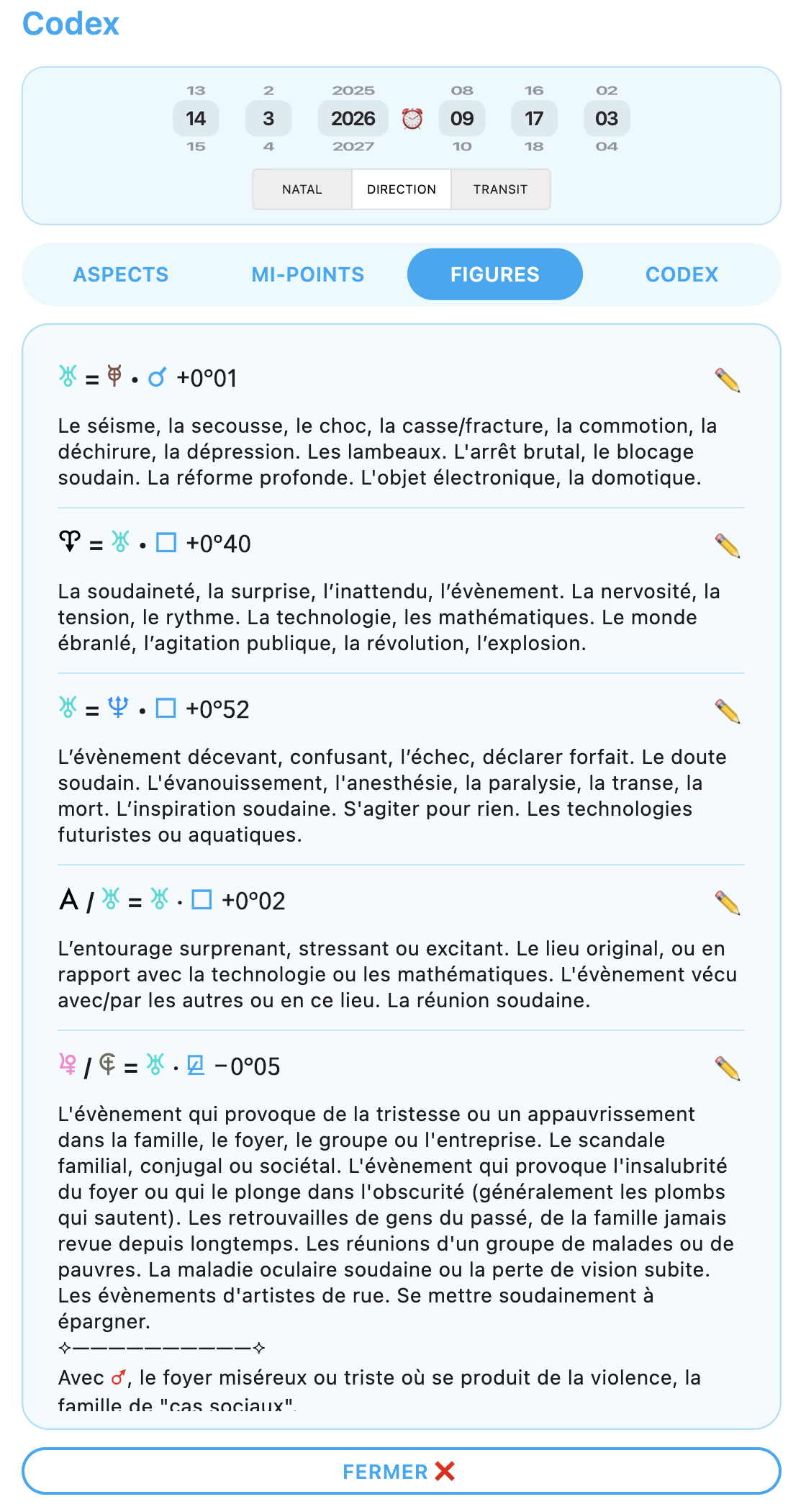
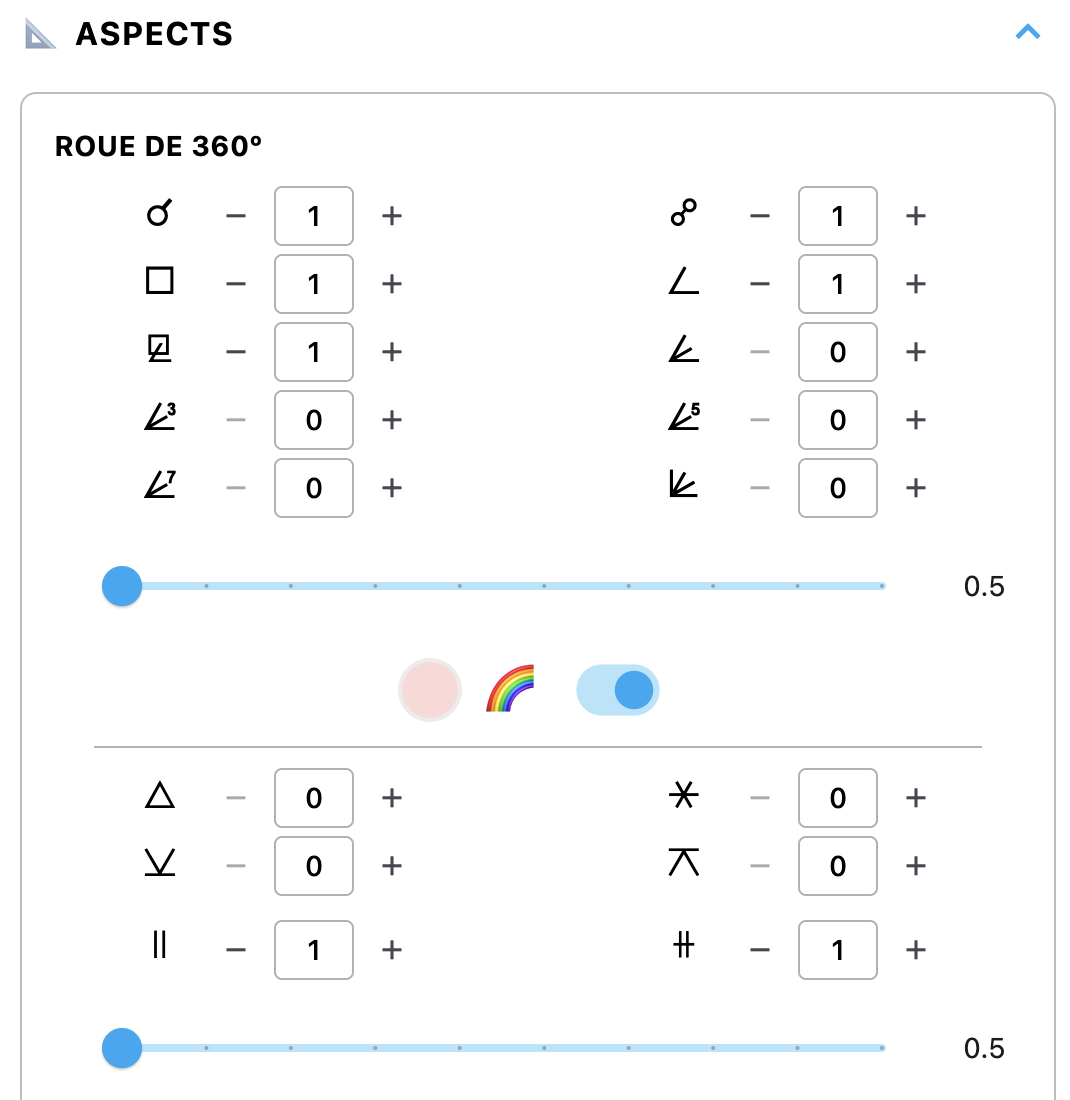
+ Another topic: it is now possible to display on the wheel an aspect line between two planets forming a parallel or a contra-parallel. The orbs can be adjusted in the configuration panel.
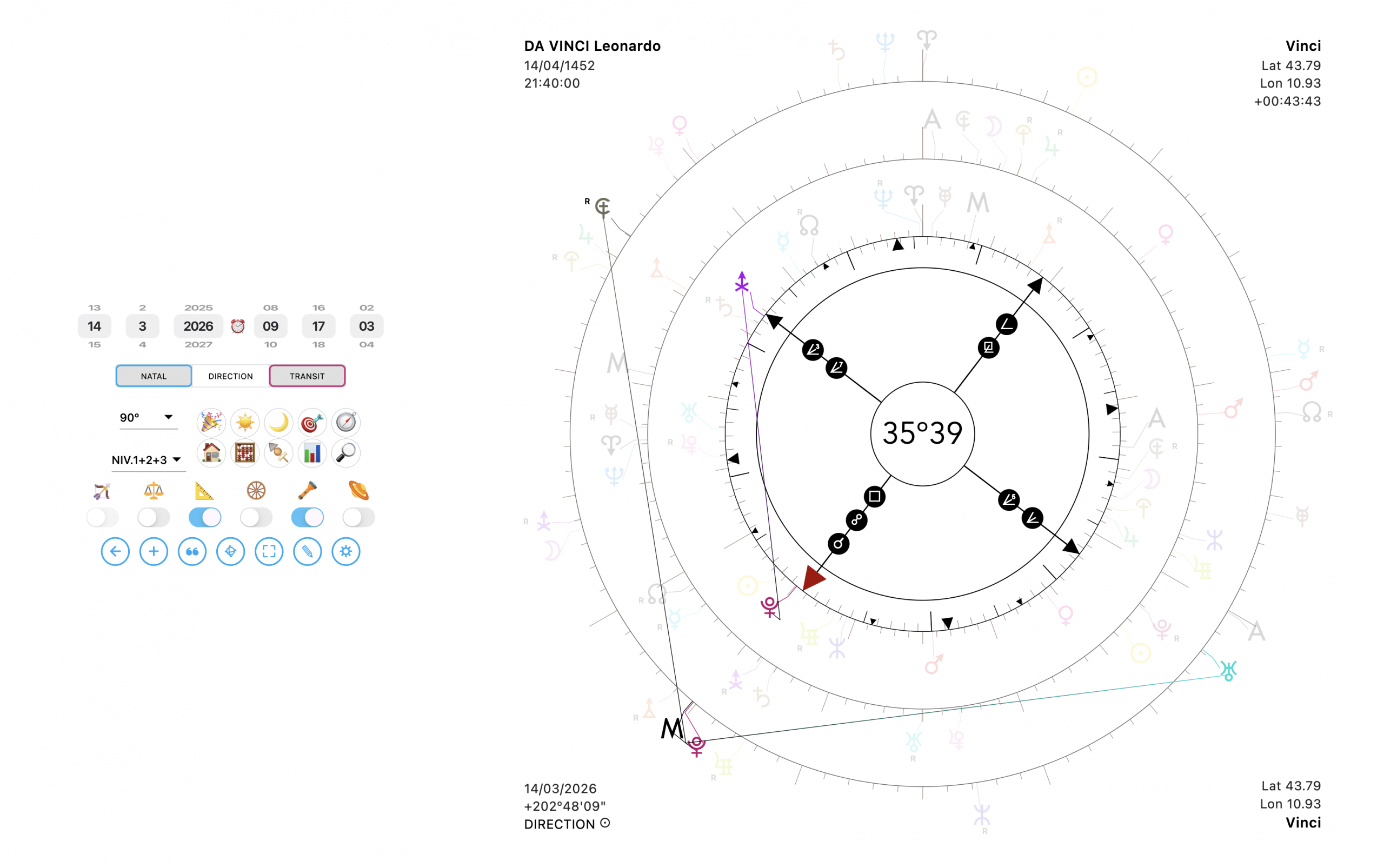
+ A new tool has appeared: Torch/Lamp mode. It is a tool activated with the torch-shaped switch, or via right-clicking on the wheel. It allows you, when clicking on a planet, to make all planets that are not related to it invisible:
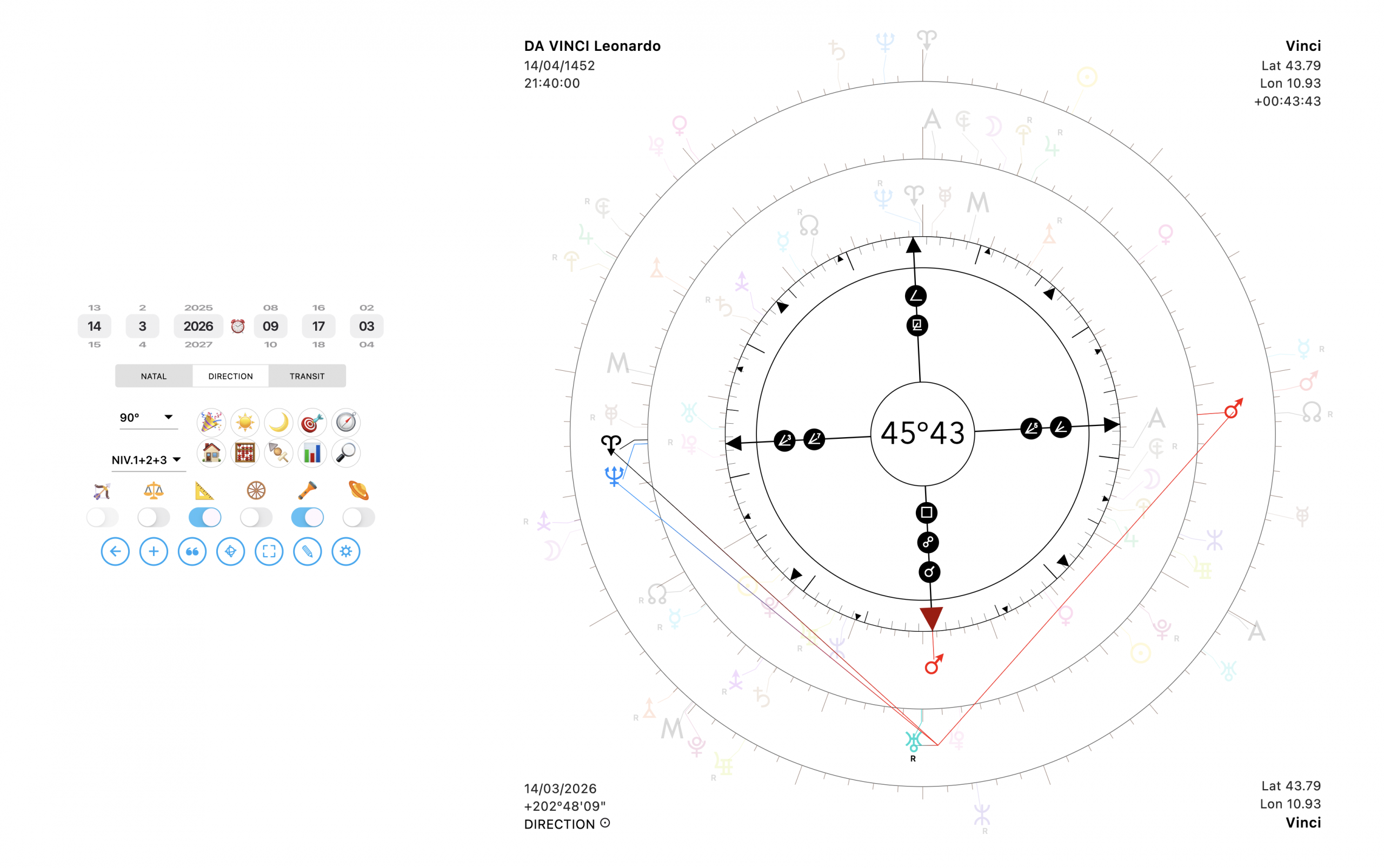
On that subject, I have to be honest: it does not work perfectly yet, and sometimes some planets remain invisible when they should be visible. I am working on it and will refine it over time to make it more reliable. But as of today, it is still a feature in “beta-testing” mode.
+ Another new feature: the NATAL/DIRECTION/TRANSIT slider can now be used in a new way. Until now, you would single-click it to choose the level. You could also long-click to select the level on which to display the aspects. It is now possible to double-click another position in order to display the aspects of that level as well. This means you can display aspects on several levels at once.
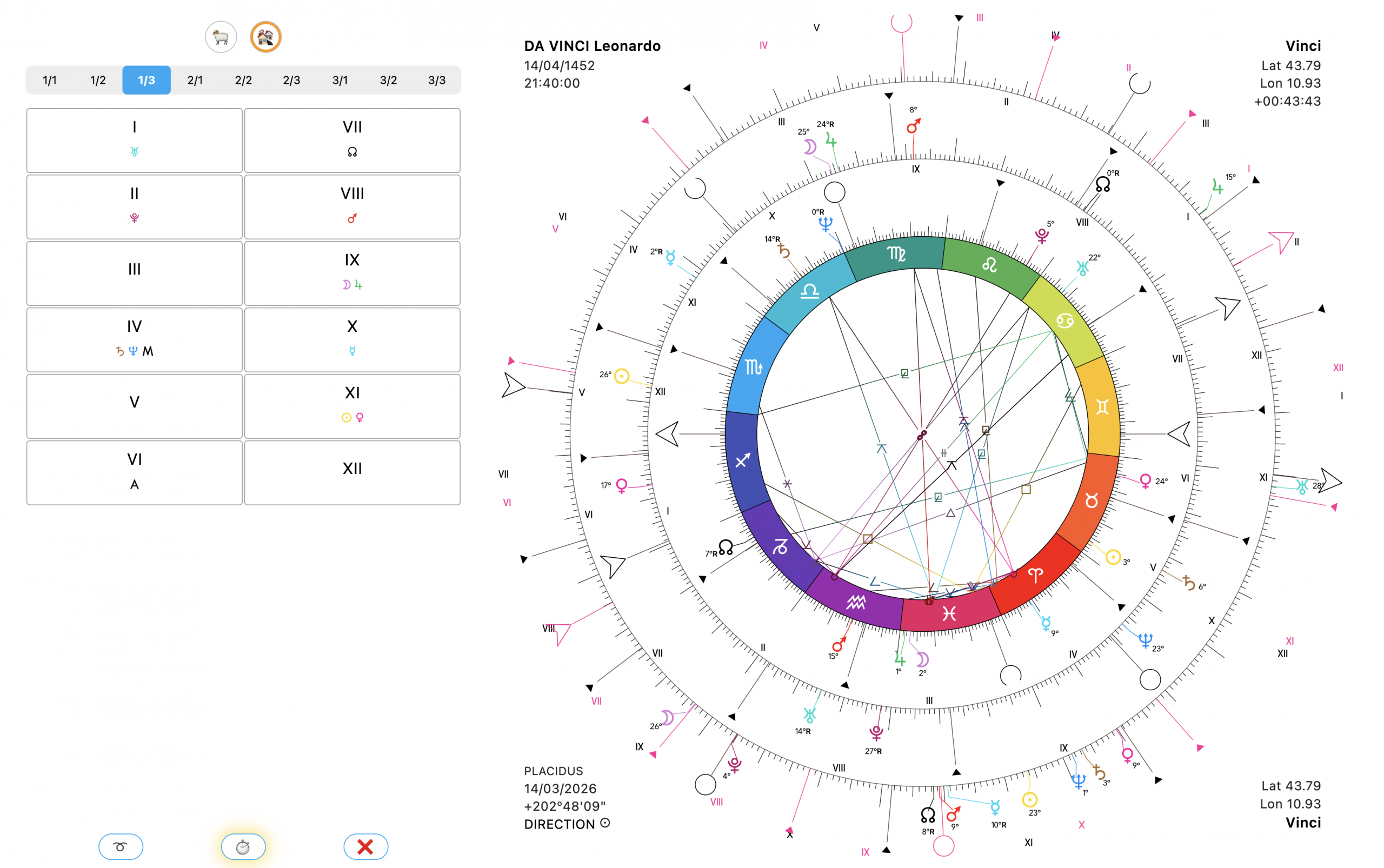
+ And finally, let us end with the appearance of a new wheel: 360-Z, which is a completely classic zodiac wheel for practitioners who use tropical astrology rather than Uranian astrology.
+ It is then possible to choose the positioning of the wheel with the Ascendant on the left, the Midheaven at the top, Aries on the left, or Libra on the left.
+ You also have the choice of house system according to the best-known methods.
+ The Codex panel then becomes the Grimoire, and the grimoire becomes fully customizable in order to display definitions between planets according to aspects, but also planet in House, and planet in Sign. The House Table is, moreover, fully adapted to display on this wheel. It is even possible to display at the same time the “normal” Houses, the “relocated” Houses, as well as the “daily” Houses.
Let us conclude. As of today, the application is tending to become very complete, and therefore heavy, with many features nested within one another. While, in the beginning, adding a button or a color was easy, today each modification implies a cascade of adjustments across many other pages. So of course, I still take requests and suggestions for improvements into account. But it must be understood that it is becoming more and more difficult as the application is refined, and that from now on I will only add features that are REALLY necessary and useful, and not simply because they would be pleasant to have. In addition, for the next updates, I would like to focus on features that are truly unique and that would allow for a genuinely smoother and more efficient practice, rather than adding tools that already exist everywhere else and are of only relative usefulness…
For now, I am going to take a short vacation, and we will meet again later for new additions.