Version 7.3.0
Now that many small bugs from previous versions have been fixed (yeah well, I can’t guarantee there aren’t still a few hiding in the corners…) we’re making version 7.3.0 official — not necessarily with huge new features, but with some nice little additions nonetheless!
+ First of all, a few more bug fixes here and there: the Codex wasn’t displaying certain definitions, and there were also some visual issues (you have no idea what a nervous breakdown it is to have an app that has to display correctly everywhere!). I’m gradually adapting the interface to smaller screens, and that requires a lot of testing and feedback to make sure it works for as many people as possible. So there have been adjustments here and there to the positioning of the circles, the size of the graduations, the planets, the font (to display symbols), the R/A which was in the wrong place, etc. Nothing thrilling, but a real desire to make this application a visually perfect experience! We’re getting closer…
+ I’m not yet sure this will work because I have to wait for the app to be deployed on Apple’s App Store, but… but… but… I tried to make the app available for Macs still running on Intel chips! No certainty yet even though my local tests are working. But once the app goes through the App Store, quite a few things change, and what sometimes works locally ends up falling flat once distributed through the marketplace. So we wait with fingers crossed, but I’m hopeful…
+ On some computers or phones, depending on the device version, the symbols ç and ß sometimes wouldn’t appear and were replaced with a �. So I integrated those symbols into the Odysseus-Font, which now displays them correctly everywhere.
+ A nice little new feature to keep the app from driving me crazy: now, if you export several charts at once, it generates a compressed .zip file containing all of them. Because in the past, you had to validate the export for each chart individually, which could quickly become annoying. Next step (I haven’t had the time to do it yet): the app being able to import a .zip directly and extract all the charts it contains. Not possible for now — you still need to unzip the file first, then import the charts (which you can also import in bulk). But adding full .zip handling is a complex operation that will require some digging on my side. It’s coming, for sure.
+ Another nice little new feature: the addition of extra celestial bodies! It wasn’t really planned, but since I needed to add one more, I thought “might as well take advantage of it” and bam — 5 more! On the menu: the asteroid Diana ā, Chiron’s buddies $ : Pholus ǎ, Nessus â and Chariclo ä, and the very, very distant planet Sedna ¶.
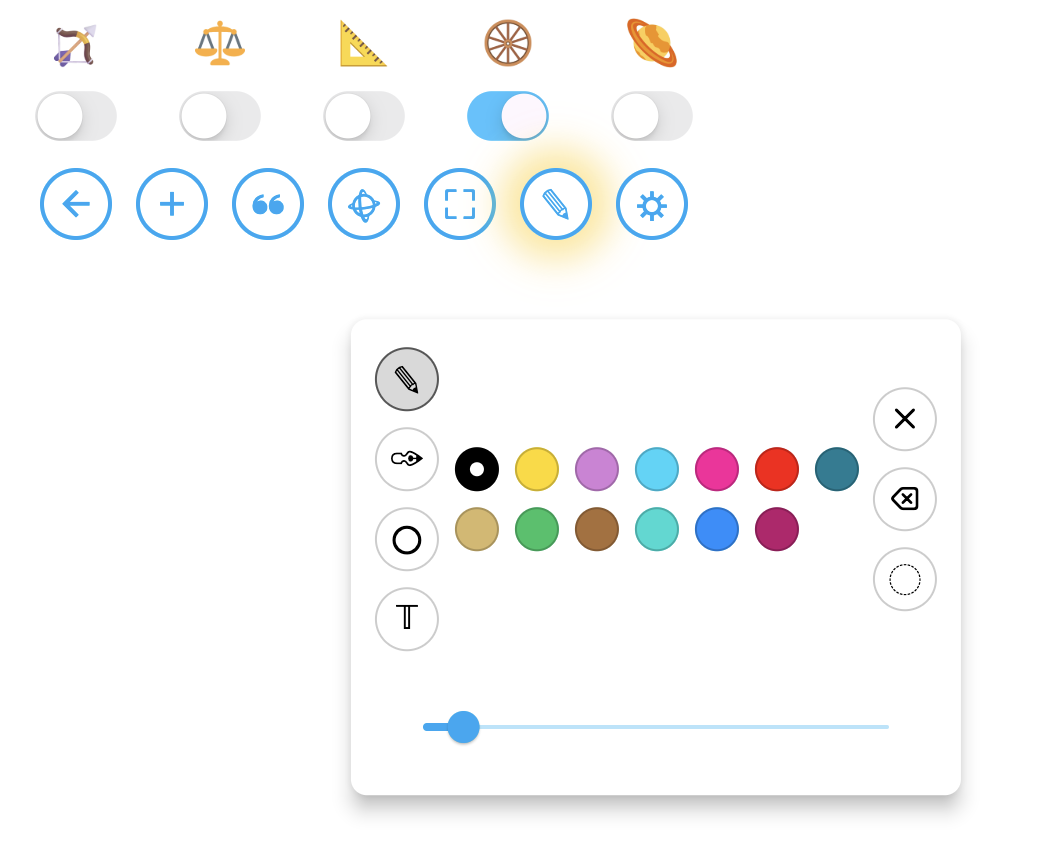
+ An improvement that was requested and long-awaited, but available only on desktop (because once again it requires a right click): a control panel for the drawing tools. Enable drawing mode with the ✎ button, then right-click anywhere on the chart. You’ll then get a panel where you can choose the tool, the color (midpoint lines will still keep the colors of the planets involved), the size, as well as buttons to clear everything, undo the last action, or switch to “Ghost” mode.
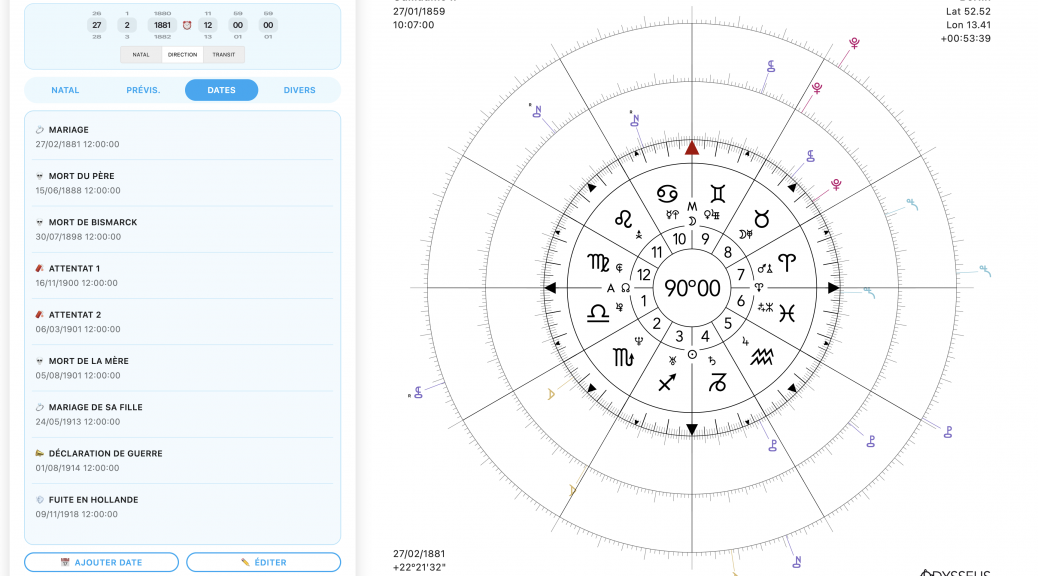
+ Another small new feature: in the Notes ❝ panel, the date and time wheels are now available. Useless? Not so much, because…
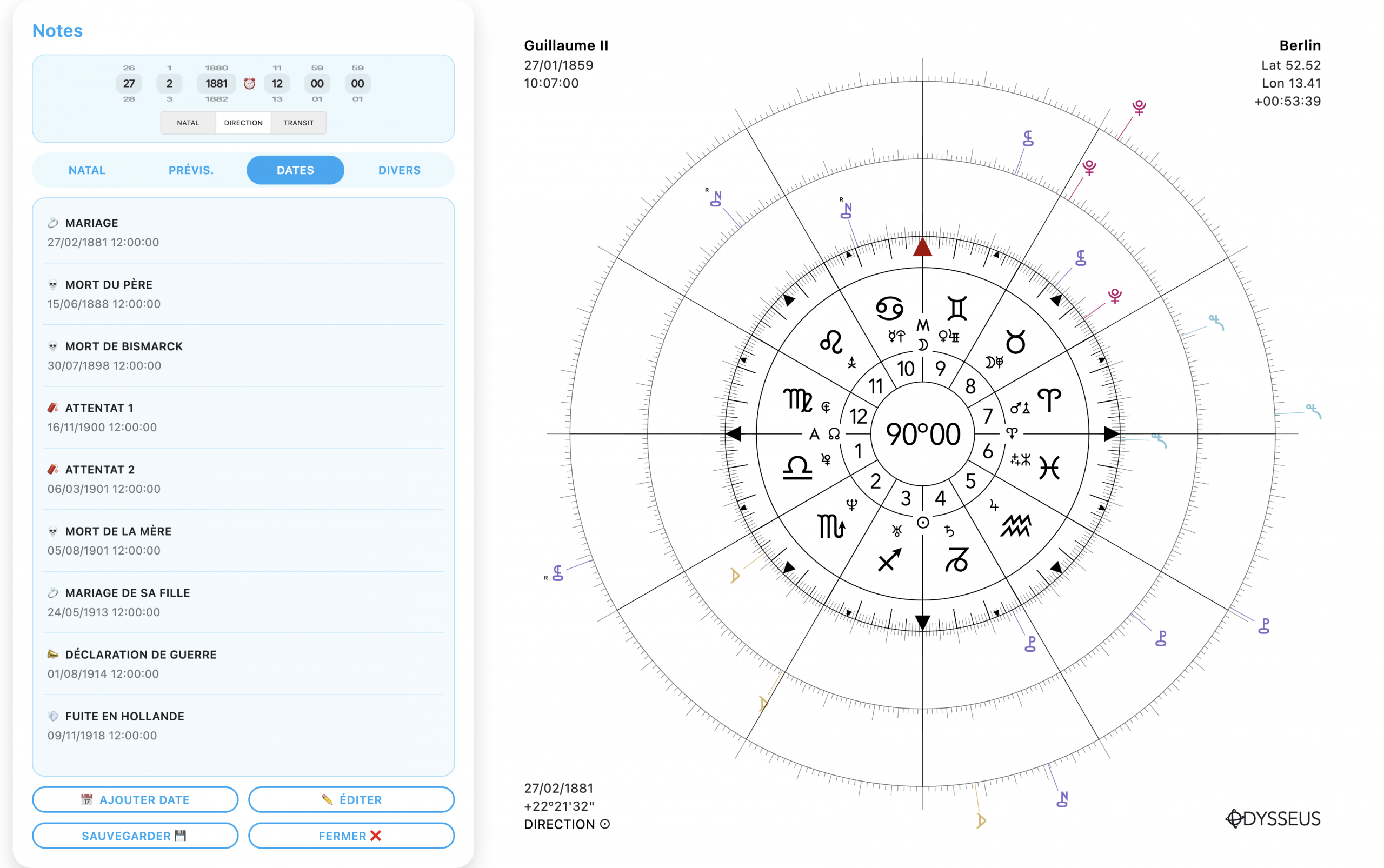
+ Another “big” new feature this time — and one that will greatly satisfy the energy-saving researcher that I am: the Notes ❝ panel now includes a Dates tab that lets you save important dates for the currently open chart, give them a name, a description, keep them stored in a reorganizable list, and by clicking on one, instantly load that date for that event! And IF that isn’t revolutionary, then you can call me Arthur!
And that’s all… for now. Kisses!