Version 7.2.0
[INFO ON VERSION 7.2.1 AT THE END OF THE ARTICLE]
Astrologers and astrophiles, hello and happy new year!
May 2026 bring you everything that 2025 didn’t bring you, so the greetings will go faster!
A new update… a pretty hefty one!
Let’s start with the fixes:
+ First of all, a small display bug fix concerning the 360º dial, in Cusp mode  , when you clicked on the Midheaven <, then called up a midpoint or selected a line in the midpoint or planetary-figure listing, the dial did not rotate correctly. It’s fixed.
+ Likewise, after using the Text tool 𝕋, it was no longer possible to rotate the dial. It’s fixed.
+ Another bug fixed: the notes ❝ that weren’t loading when opening the default chart. Let me explain. For some time now, there has been the possibility to take notes on the charts you analyze. But also, a recent update made it possible to keep in memory the last chart opened. Well, by closing and reopening the software, and loading that chart kept by default, the notes were not loaded. It’s fixed… normally… I hope…
+ In the configuration panel ⛭, the orbs section has been completely revamped:
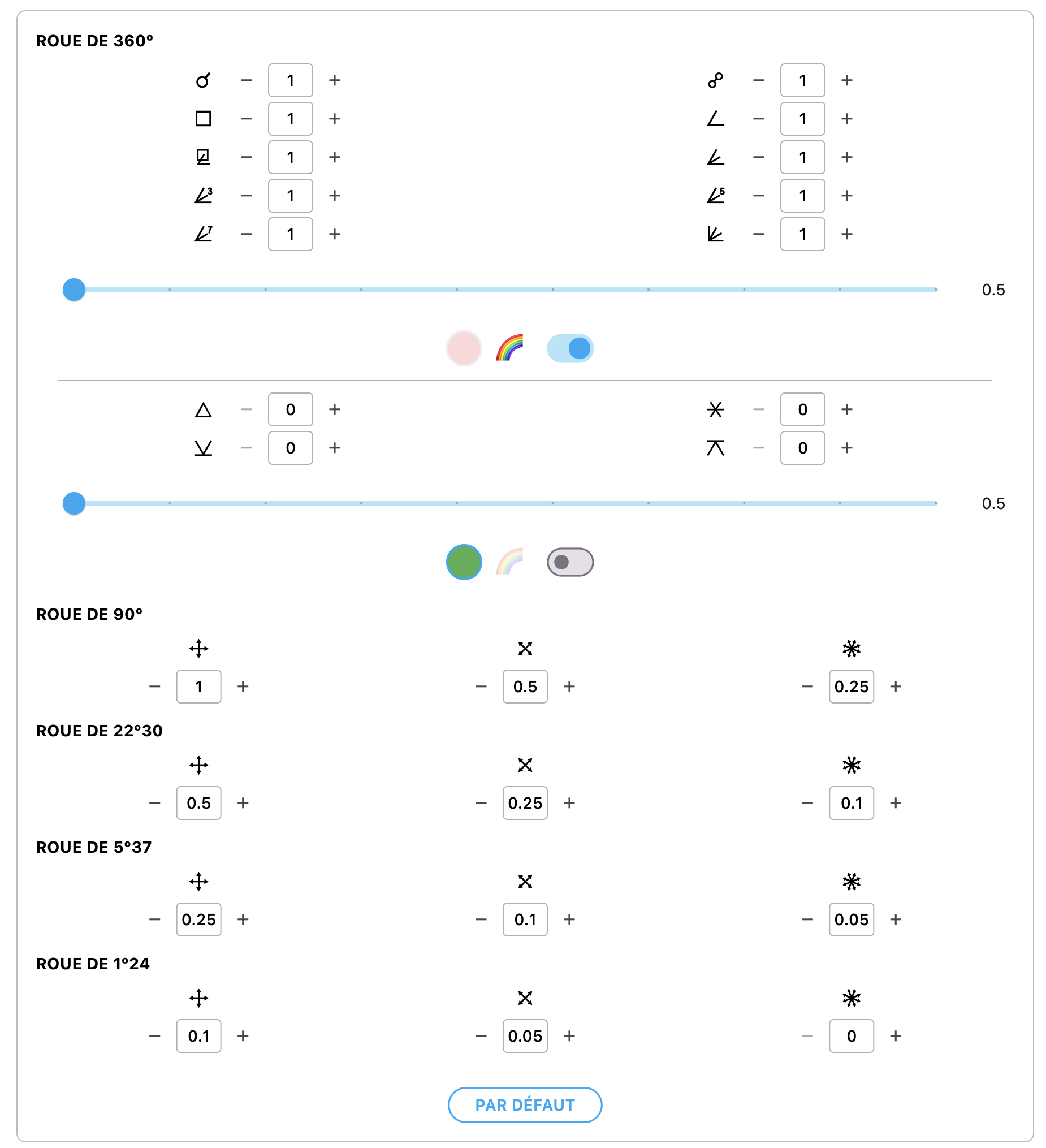
Indeed, on the smallest dials, some angles did not appear, or appeared incorrectly. To improve this and make everything simpler, I reworked the entire way aspects are configured. We obviously keep the classic aspects (traditional angles + those of Uranian astrology). But at the bottom of the section there are now Cross angles û, Half-Cross u and Counter-Cross y with, for each, the orbs to enter depending on the dials. This provides unmatched finesse in selecting angles according to your preferences. If you don’t know what Cross û, Half-Cross u and Counter-Cross y are, it’s simply this: for the Cross û, the 4 arrows of the central cross; for the Half-Cross u, the 4 intermediate points between the 4 arrows; and for the Counter-Cross y, all the remaining intermediate angles. For example, on the 90º dial, the Cross û represents the angles 0º, 22º30, 45º and 67º30. The Half-Cross u represents the angles 11º15, 33º45, 56º15 and 78º45. And finally, the Counter-Cross y represents the intermediate angles, i.e. the angles 5º37’30, 16º52’30, 28º7’30, 39º22’30, 50º37’30, 61º52’30, 73º7’30 and 84º22’30. For the other dials, it’s the same, but each time with angles 4 times finer.
+ Also, when you displayed customizable points on the dial (midpoint, sensitive point, degree), these did display correctly in the Graphemeris (long-press on 📊), but at the Transit level, they did not evolve and always stayed at the same point. It’s fixed!
+ Another bug that must have gone unnoticed: countries containing an accent were placed after all the other countries starting with the same letter. For example, Senegal would then appear last in the list of countries starting with an S, and would therefore come after Syria.
+ Fixed a few small visual bugs on the dial when displaying the Houses in 2h of R.A. for the <.
+ Finally, last small bug: old charts sometimes had difficulty displaying with the Julian calendar. Normally, everything is good on that side now.
Next, let’s move on to improvements!
+ As usual, with each update: corrections/improvements to Codex texts.
+ First of all, small purely aesthetic tweaks on some glyphs of the Odysseus font (it’s not the first time, but I refine it over time) such as Taurus C, Scorpio I, Capricorn K, Jupiter R, Neptune U, Cupido a, Apollon e, or Poseidon h. For most of them, the change is imperceptible and therefore shouldn’t be too disruptive in use.
+ Next, a tweak you won’t see because there will be no visible difference before/after in use, but that was necessary for me. The MP and PF listings were two separate files, even though they had almost the same functions. I unified them into a single one, making it possible to lighten the code and the app’s weight.
+ Also, I darkened the dial graduations, tweaked their size a bit as well as the size of arrows or graphic elements here and there. Nothing major, but again, a search for harmony.
+ And another small modification that pleases me: the date and time wheelpickers are now “infinite” in the sense that you can rotate them continuously, rather than scrolling through the days until the end of the month, returning to the beginning and changing the month, etc. Everything is done by itself. You arrive at 30th or 31st, you advance by another day, and hop, the month changes. Ditto for the year, hours, minutes, etc.
+ The line-drawing tool ✎ can now start from anywhere and not only from the planets or from the center of the dial.
+ The circle tool ⭘ no longer draws a true circle, but an ellipse, more practical if you have several close planets to circle and a perfect circle would take too much space; unless you press SHIFT at the same time you draw, in which case it will form a true circle. Otherwise, just single-click on the planet or point you want to circle, and the circle/ellipse will form automatically. Handy!
+ Concerning customizable points (mp, sp, degrees), the midpoint display tool  now also creates the traces with these special points.
+ In the Graphemeris (long-press on 📊), the tooltip that appears when hovering over the curves now displays the level (è ê ë ę) of the planet in question.
+ Anatomical information (🫀 in the listings) now appears in the search engine.
+ From now on, it is possible in the configuration panel ⛭ to choose whether you want to display the Meridian Houses < in regular 30º, or in 2h of R.A. (I recommend this version).
+ Likewise, in the Houses Table, your choice will be followed and respected to display the planets in the correct Houses.
+ And finally, a big effort has been made to make the app’s visuals better “adapted” to small phone screens. But let’s be honest: this sometimes requires showing a lot of info in a very small space. I unfortunately can’t perform miracles, but I’ll still do my best in the coming weeks to improve the ergonomics even more. Promise!
And now, let’s get to the new features!
+ Since we were talking about the Houses and the Houses Table, 3 new features. The first: in the configuration panel ⛭, you now have the possibility to check an option in the “CALCULS” block to display the planets in the 2 adjacent Houses when the planets in question are less than Xº from the cusp of the next House. Thus, for example, if a planet is 2º from the cusp of the next House, and you entered 5º in the “jump into the next house” box, then by checking the display option, that planet will appear at the same time in both Houses: the one it is in, and the one it is approaching.
+ The second option is in the same place, one line lower, and makes it possible to add this function with the “previous House.” If your planet has just passed the cusp and is fewer degrees away than what you set in the jump box, then it will appear in the House it is in, but also in the previous House.
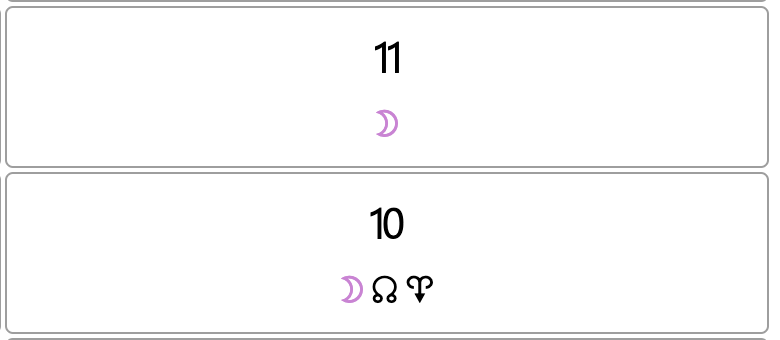
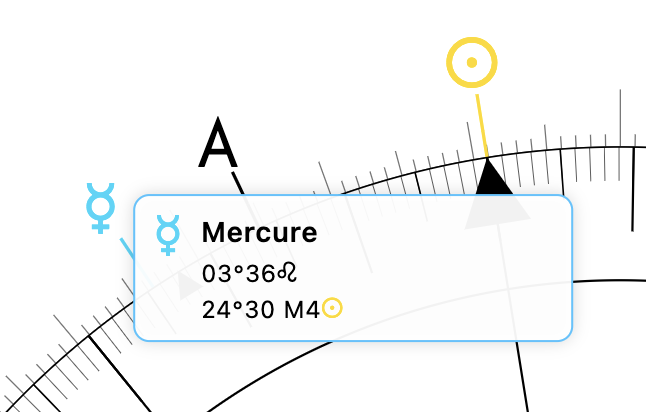
+ Finally, the third one does not concern the Houses Table, but the Houses displayed on the 360º dial. When you leave your cursor on a planet, it normally displays a tooltip with the planet’s longitude. But if you are now in Cusp mode , and you click on a planet to deploy its Houses, then by placing the mouse over another planet, the tooltip will tell you which House of that system it is in, but also exactly how many degrees away from the cusp of that House it is (which, in itself, doesn’t seem useful at all, but is indispensable when you practice House reading the way Witte actually did—which I will probably tell you about one day).
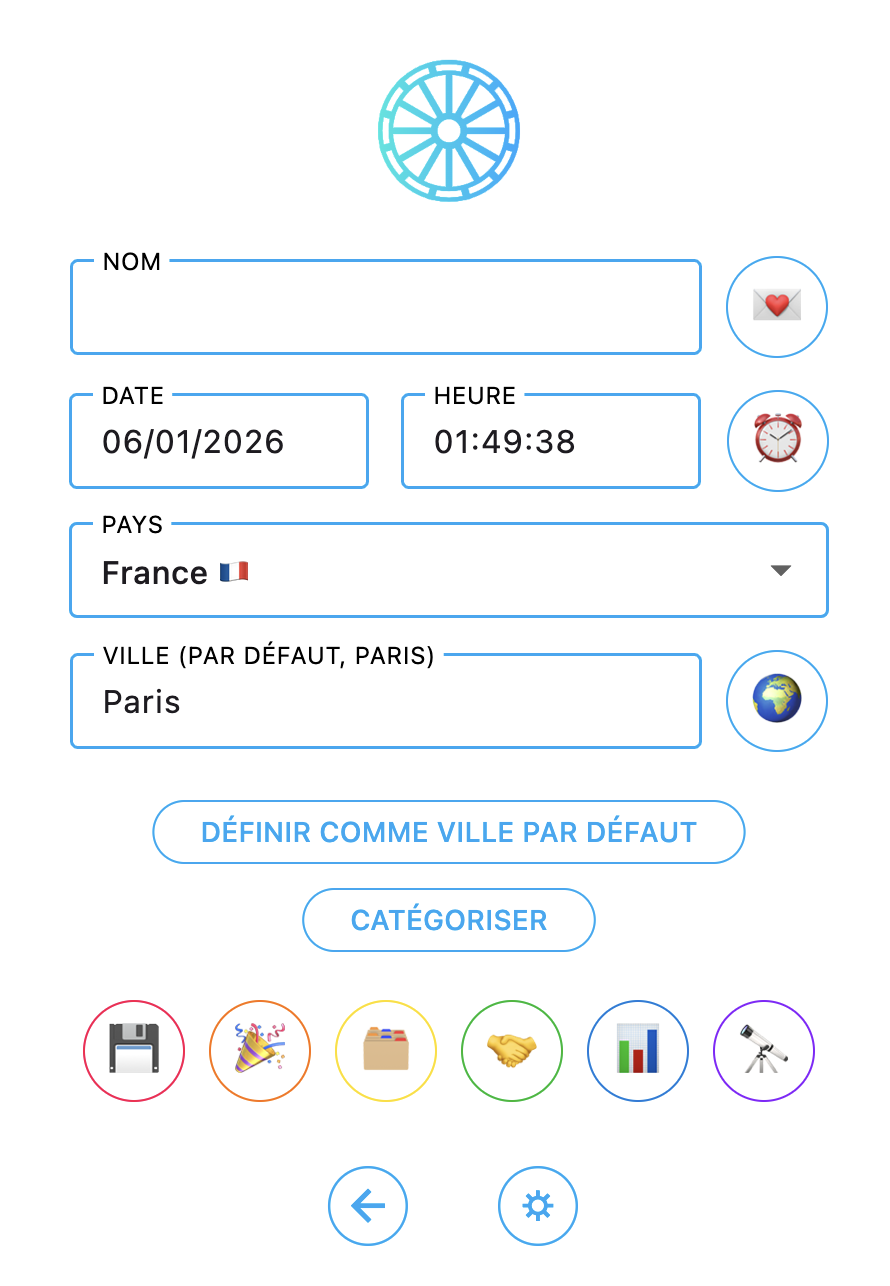
+ The Event button 🎉 to load an ingress 🚪, an eclipse 🌚 or a lunation 🌙 is back on the chart creation page. More practical to immediately load the right date into the natal.
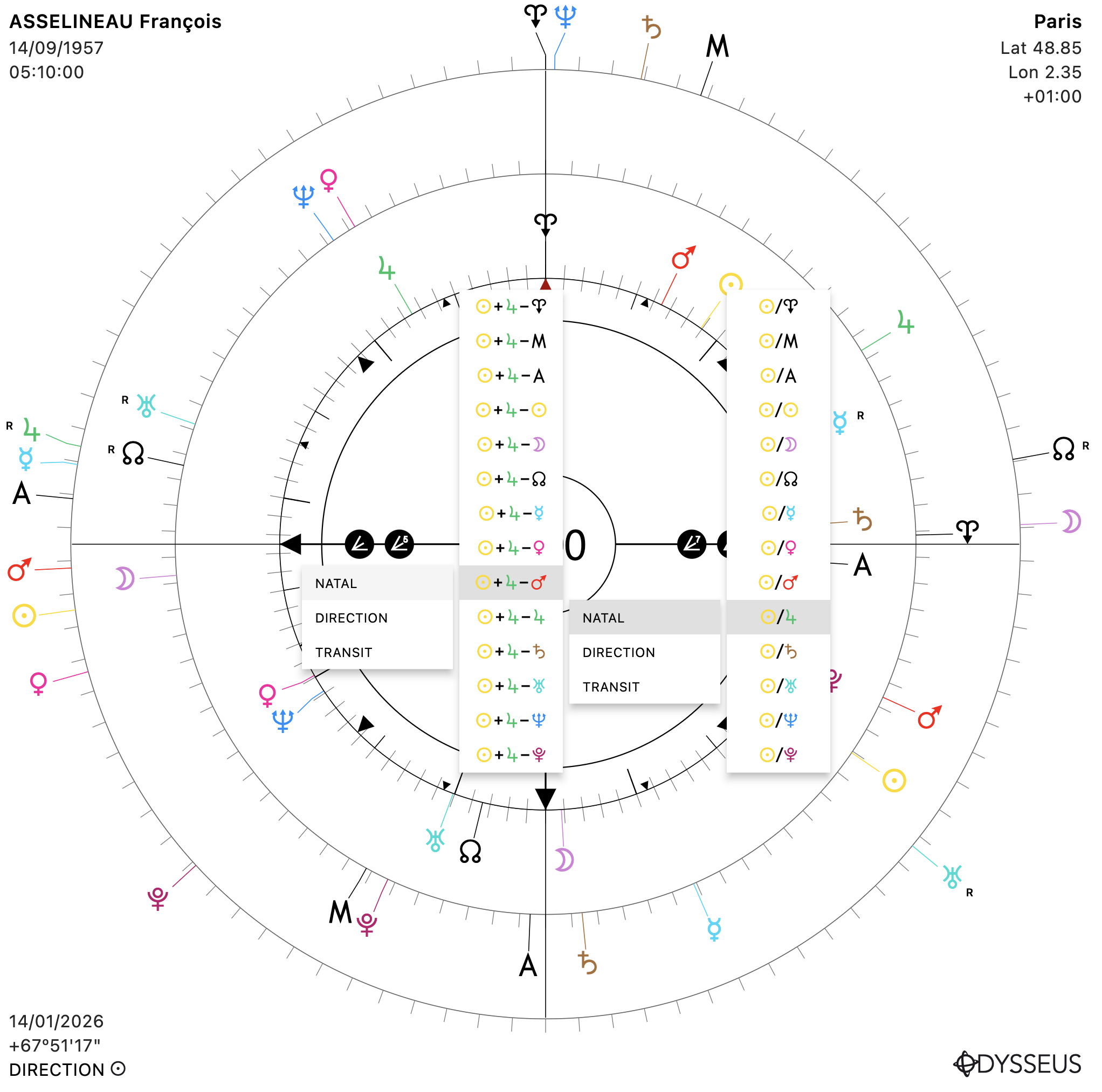
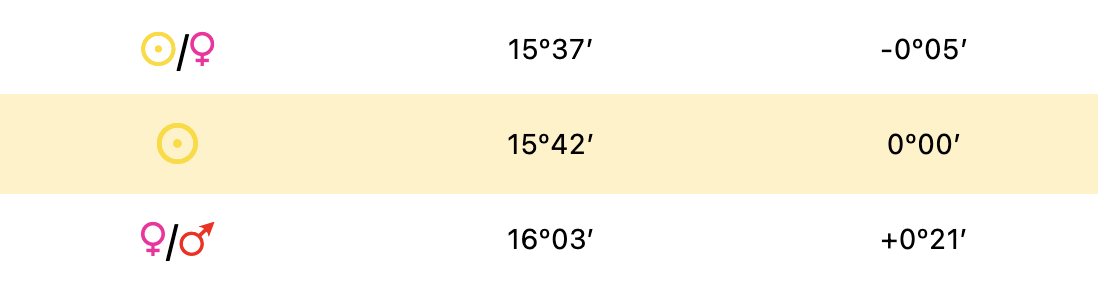
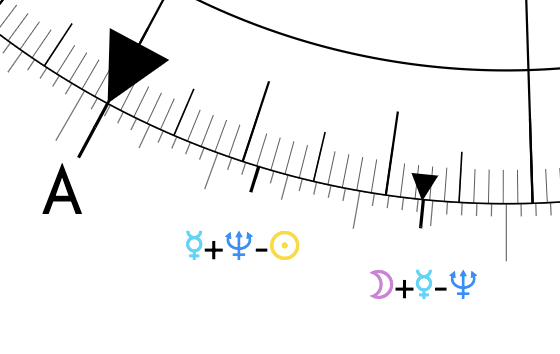
+ Small change in the midpoint and planetary-figure listings. Until now, we had 3 columns with, first, the list of bodies in order; second, a modulo for the 90º to 1º24 options; and third, the longitudes on 360º. Now, the 360º longitudes are merged into the modulo (because in the end, few seemed to use them together with the modulo options), while the third column now displays the orbs compared to the dial arrow. A + in front of the orb means the point in question is farther ahead than the dial arrow, whereas a – shows that the point is behind the dial arrow. Example below:
+ Another “small” new feature: it is now possible to display the “customizables” (mp, sp, degrees) plainly directly on the dial. You can still choose to display an emoji instead if you wish, of course. This is coupled with a slight redesign of the configuration panel ⛭ to display larger buttons, therefore more readable, and in greater numbers.
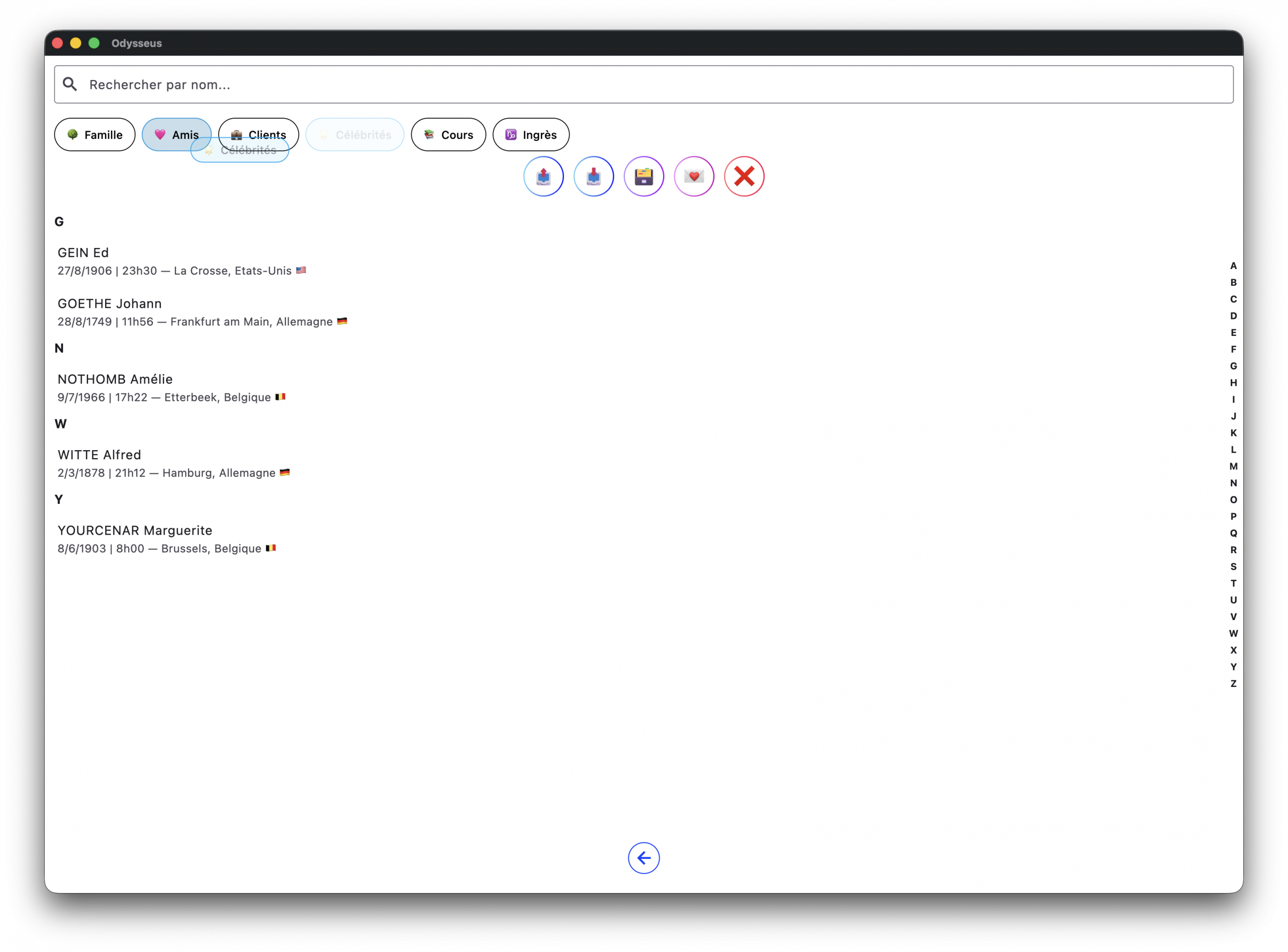
+ Another new feature born this time from my own annoyance: it is now possible to “categorize” your charts, to add a “tag” to them in order to sort them easily in the charts folder. You can create tags, add several tags to a chart, and change the arrangement of tags by long-pressing one of them and, without releasing, moving it wherever you want on the tag line. You can categorise the themes either from the theme manager or from the theme creation page, in which case you must remember to save the theme well so that this is taken into account.
+ Next new feature which… let’s be honest, will interest almost nobody except me (but it’s my software, so I’m treating myself 😂) since it’s a rotation system for the 3 levels depending on the point you take as reference. The idea is to do what Witte practiced in his House reading, namely to place the reference point either at 0º (for the Vernal Point A), or at 90º (for the Meridian < and the Moon Y), or at 180º (for the Ascendant > and the Lunar Node W) or at 270º (for the Sun N and all the other planets), then observe how the planets interact with each other. In the following example, we see Goethe’s chart on the day of his death. Levels 1 and 3 are anchored on the Sun N, because the transit level then displays the “horoscope of the day” while the natal one shows the “health horoscope,” while the direction is left by default with its own solar arc:

We can then see that the transit midpoint Mars Q/S Saturn, once the transposition is done, falls on directed Pluto V, the planet of processes, close to the midpoint Sun N/T Uranus, the heart midpoint, and activates, by aspects to the natal, the planets Moon Y, Mars Q, Uranus T, Neptune U, Hades b and Admetos f, forming the configurations of the illness that grows inside, affects the heart and leads to death… The poor man would die of a heart attack following a silly cold.
To activate these rotations, simply long press the Houses 🏠 button, then choose from the drop-down menus the point to be focussed.
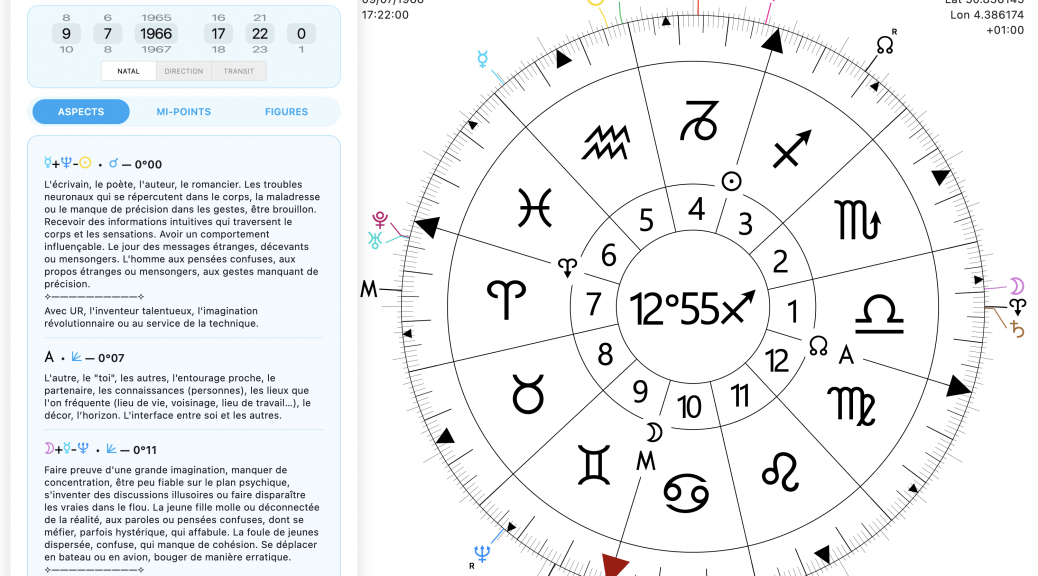
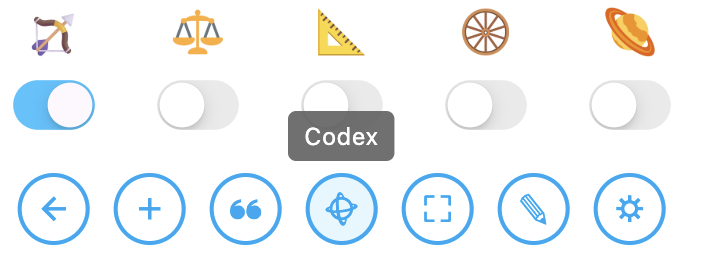
+ And finally, and not least, because I can tell you I was eagerly waiting for this improvement, I have FINALLY added live Codex reading directly on the chart, depending on what the dial is pointing to. It opens as a side tab with the button Ł :
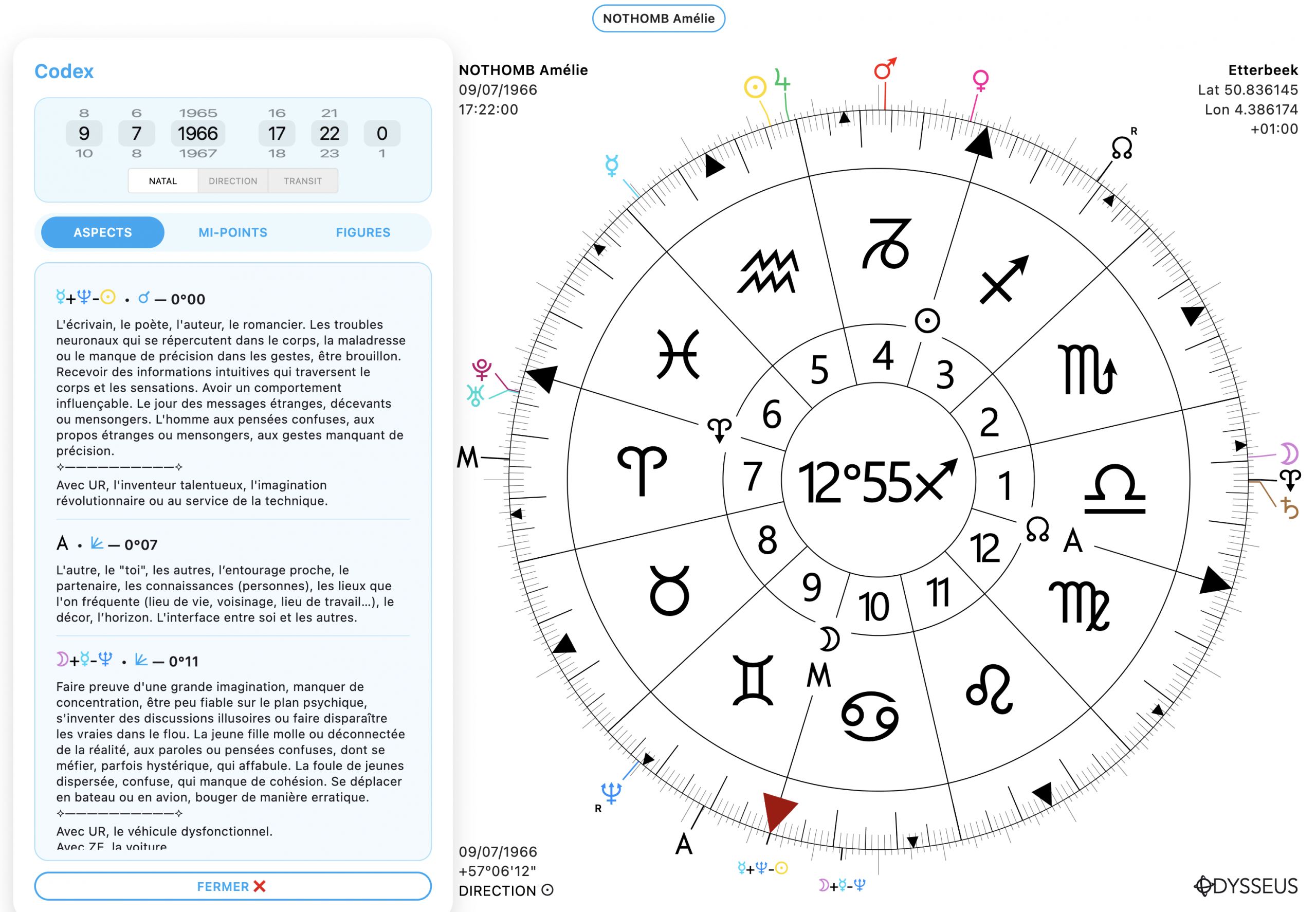
You will find three tabs there: Aspects, Midpoints and Figures, as well as the date and time dials, the 3-level slider, the planets involved, the angle formed, the orb and the description. And OF COURSE!, your own descriptions entered in the Grimoire! WHAT MORE COULD YOU ASK FOR ‽
Obviously, “big update” means “big risk of cascading bugs.” I did my best to hunt down all these nasty little critters, but I’m counting on you to send me feedback if you happen to run into any, so I can fix them as quickly as possible.
Enjoy, and see you at the next update!
VERSION 7.2.1
I take advantage of the article to talk about the correction put in place the next day.
+ A small bug meant that the orbs of the aspects were linked to those of the midpoints and that it was not possible to adjust them independently. It’s settled.
+ The Codex in the map displayed the orbs but without specifying the distance or rapprochement (the + and -). Now it is the case.
+ And small novelty exclusively on computer (Mac/Windows): it is now possible to directly right-click on a planet to choose to turn the wheel on the half-point or sensitive point of your choice. Faster and more convenient. But the version with the long press on a planet remains valid, since necessary for mobiles and tablets.